D1 Servo Drive User Manual Tuning
HIWIN MIKROSYSTEM CORP. 6-31
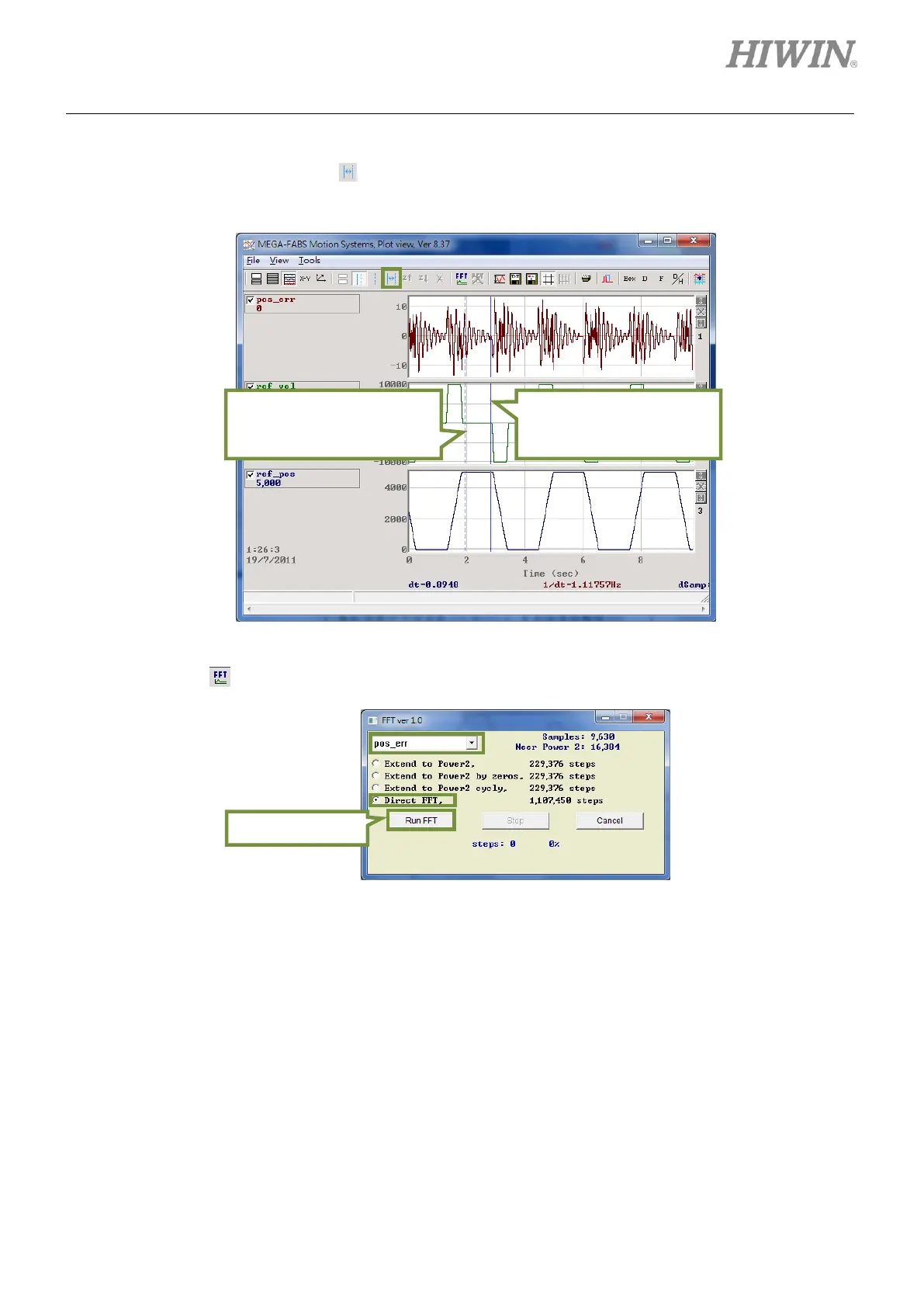
Step 4: As motion command completes, enlarge the graph of position error. Select the desired segment,
as figure 6.6.6.3. Click on to zoom in on the segment. For related operation, please refer to
section 6.5.
Figure6.6.6.3
Step 5: Click on in Plot view window to do fast Fourier transform of pos_err, as figure 6.6.6.4.
Figure6.6.6.4
Step 6: After fast Fourier transform completes, the graph will be shown as figure 6.6.6.5.
Right click on the graph to
select where the vibration
occurs.
Left click on the graph to
select where the motion
command completes.



 To Next Page