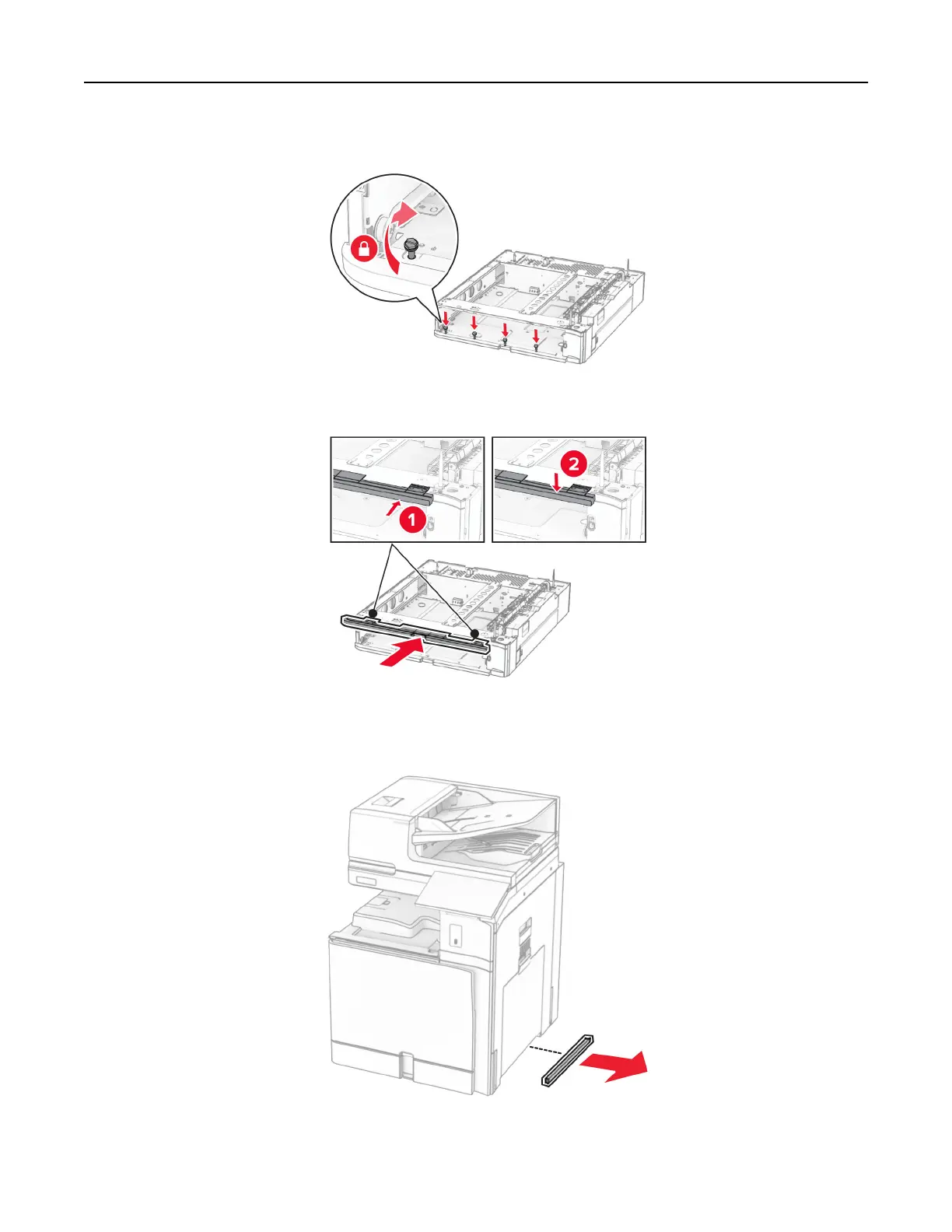
9 Install the screws.
10 Attach the upper tray cover.
11 Insert the 550‑sheet tray insert.
12 Remove the cover under the right side of the printer.
13 Align the printer with the 550‑sheet tray, and then lower it into place.
Set up, install, and configure 101



 To Next Page