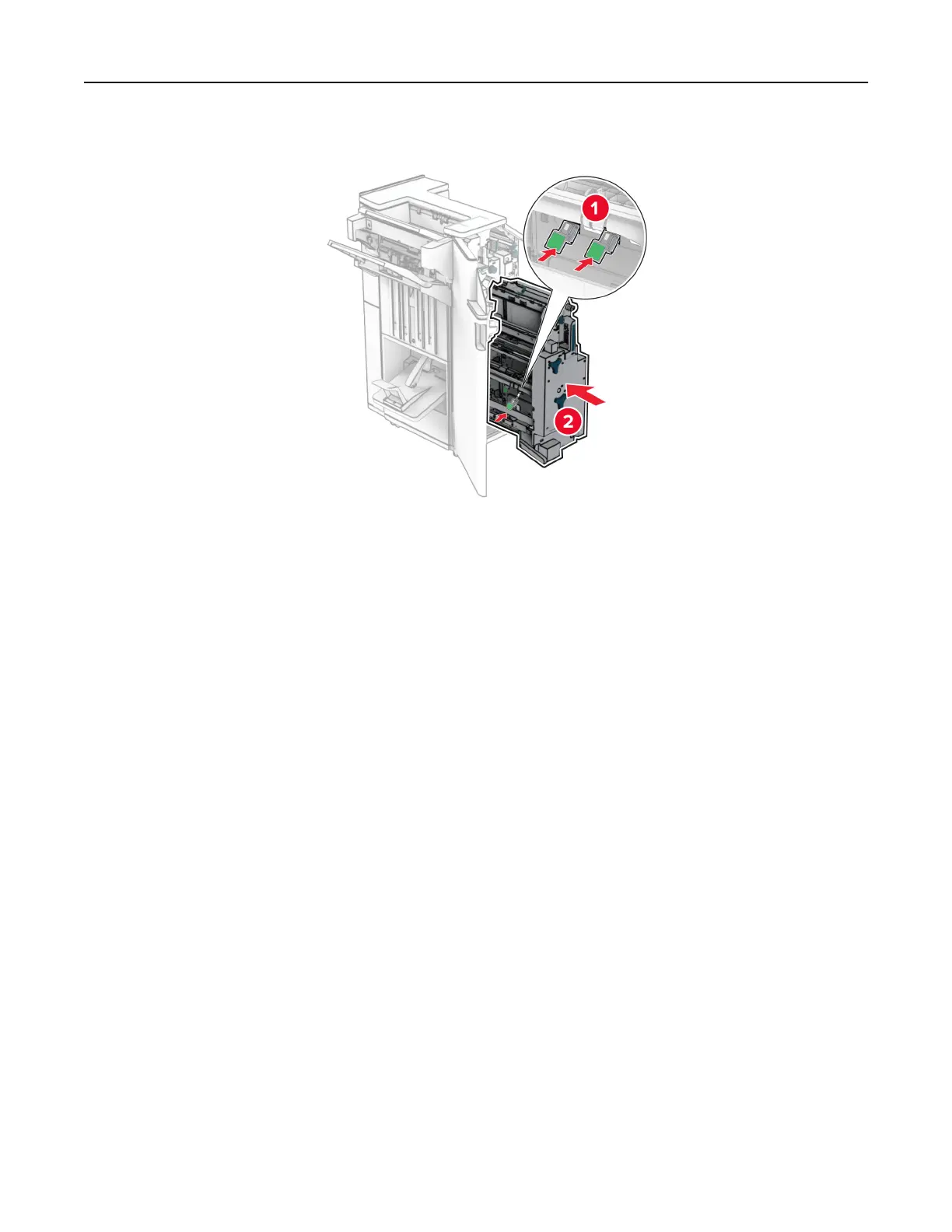
4 Insert the new staple cartridge holders.
5 Insert the booklet maker, and then close the finisher door.
Resetting the supply usage counters
Resetting the supply usage counters
1 From the control panel, navigate to Settings > Device > Maintenance > Configuration Menu > Supply Usage
And Counters.
2 Select the counter that you want to reset.
Warning—Potential Damage: Supplies and parts without Return Program agreement terms may be reset and
remanufactured. However, the manufacturer’s warranty does not cover any damage caused by non-genuine
supplies or parts. Resetting counters on the supply or part without proper remanufacturing can cause
damage to your printer. After resetting the supply or part counter, your printer may display an error indicating
the presence of the reset item.
Cleaning printer parts
Cleaning the printer
Maintain the printer 432



 To Next Page