Jam locations
13 Booklet finisher
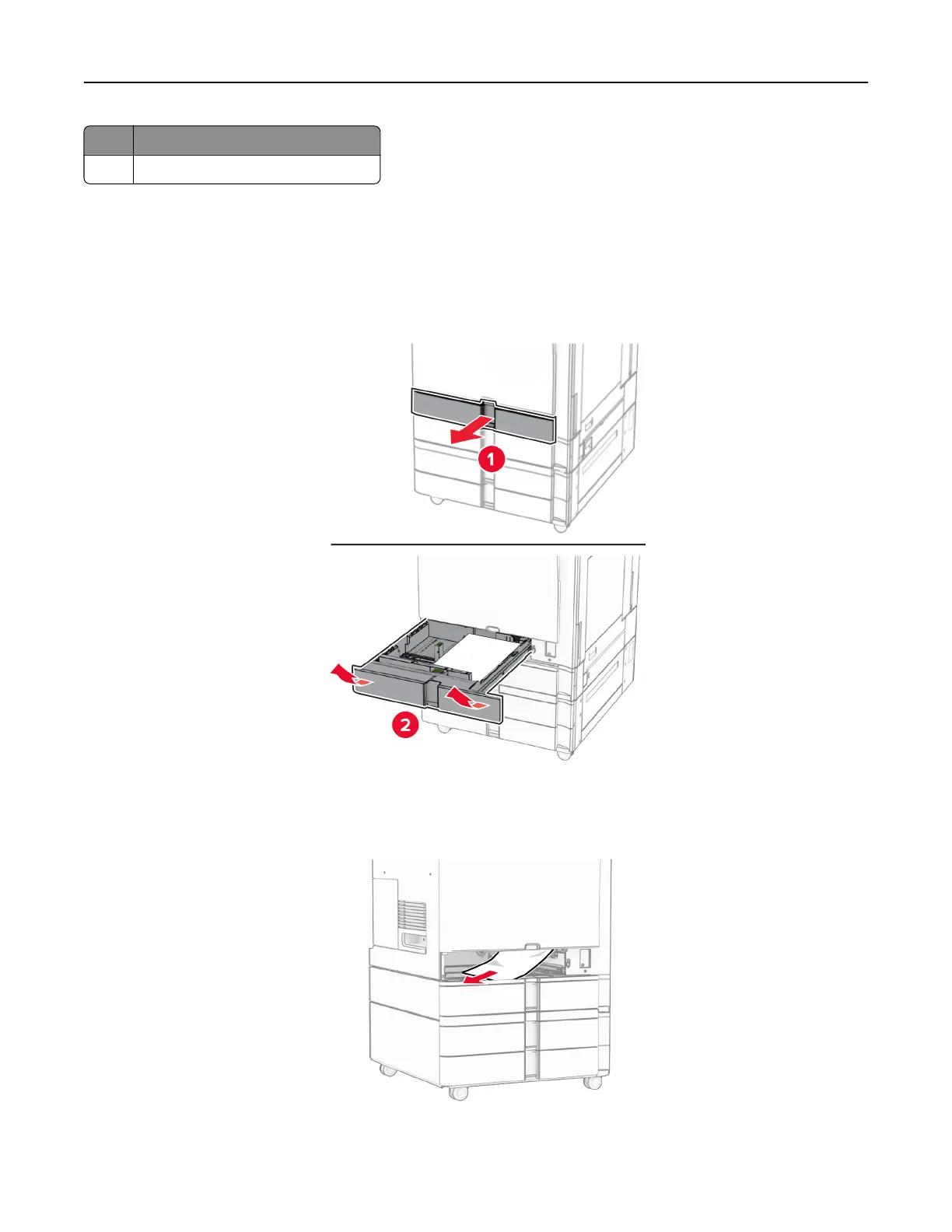
Paper jam in the standard tray
Paper jam in the standard tray
1 Pull out the standard tray.
2 Remove the jammed paper.
Note: Make sure that all paper fragments are removed.
3 Insert the tray.
Troubleshoot a problem 473



 To Next Page