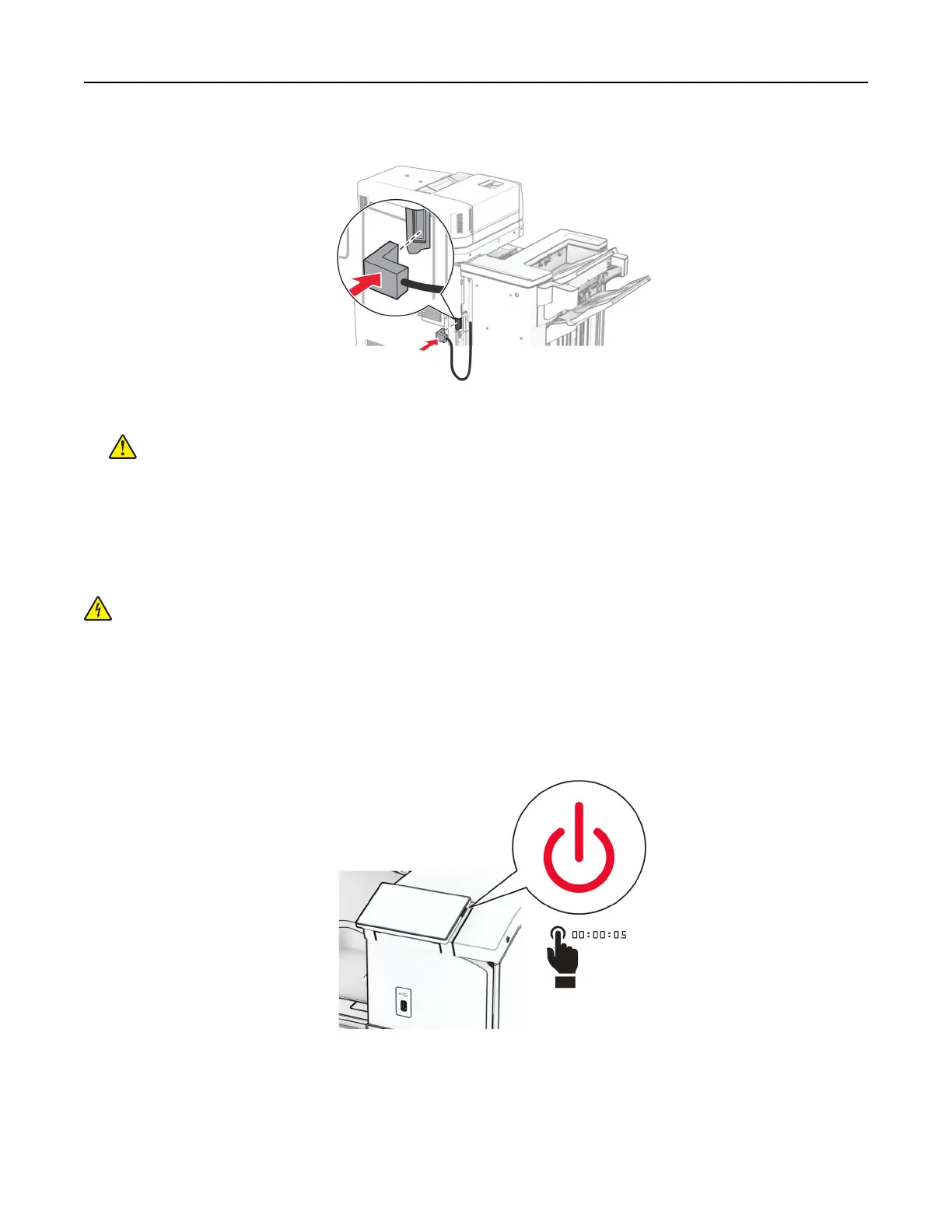
37 Connect the finisher cable to the printer.
38 Connect one end of the power cord to the printer, and then the other end to the electrical outlet.
CAUTION—POTENTIAL INJURY: To avoid the risk of fire or electrical shock, connect the power cord
to an appropriately rated and properly grounded electrical outlet that is near the product and easily
accessible.
39 Turn on the printer.
Installing the booklet
finisher
and paper transport with folding option
CAUTION—SHOCK HAZARD: To avoid the risk of electrical shock, if you are accessing the controller
board or installing optional hardware or memory devices sometime after setting up the printer, then turn
the printer o, and unplug the power cord from the electrical outlet before continuing. If you have any
other devices attached to the printer, then turn them o as well, and unplug any cables going into the
printer.
Note: This task requires a flat‑head screwdriver.
1 Turn
o
the printer.
Set up, install, and configure 211



 To Next Page