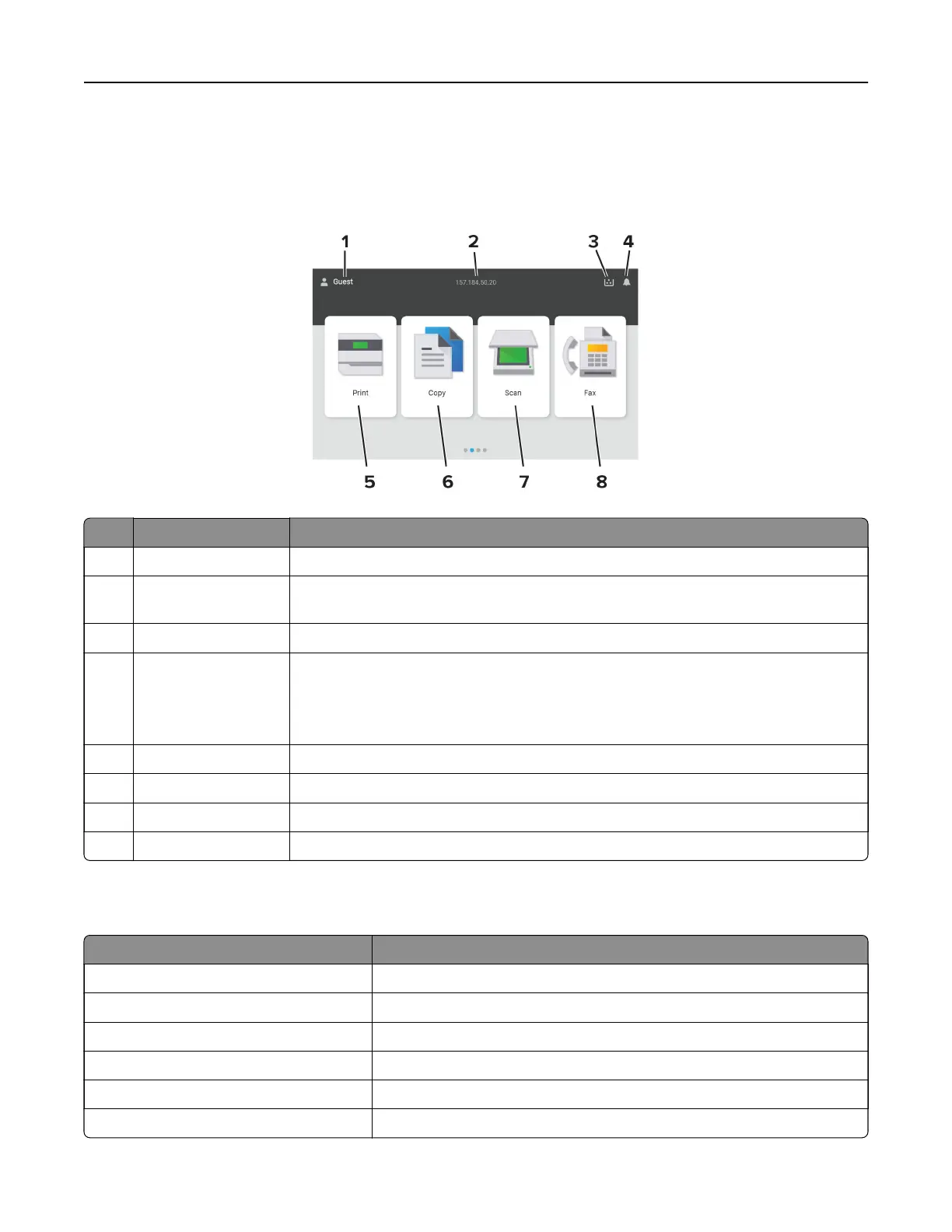
Home screen icons
Note: Your home screen may vary depending on your home screen customization settings, administrative
setup, and active embedded solutions.
# Icon name Function
1 User Show if a user is logged in to the printer.
2 Displayed
information
Show customized printer information such as the printer IP address or the date and
time.
3 Supply Show the status of supplies.
4 Notification
• Show a printer warning or error message whenever the printer requires
intervention to continue processing.
• View more information on the printer warning or message, and on how to clear
it.
5 Print Print photos and documents.
6 Copy Copy photos and documents.
7 Scan Scan documents.
8 Fax Send fax messages.
Colors of the indicator light
Color of the indicator light Printer status
O The printer is o.
Solid blue The printer is ready.
Blinking blue The printer is printing or processing data.
Blinking red The printer requires user intervention.
Solid amber The printer is in Sleep mode.
Blinking amber The printer is in Deep Sleep or Hibernate mode.
Learn about the printer 14



 To Next Page