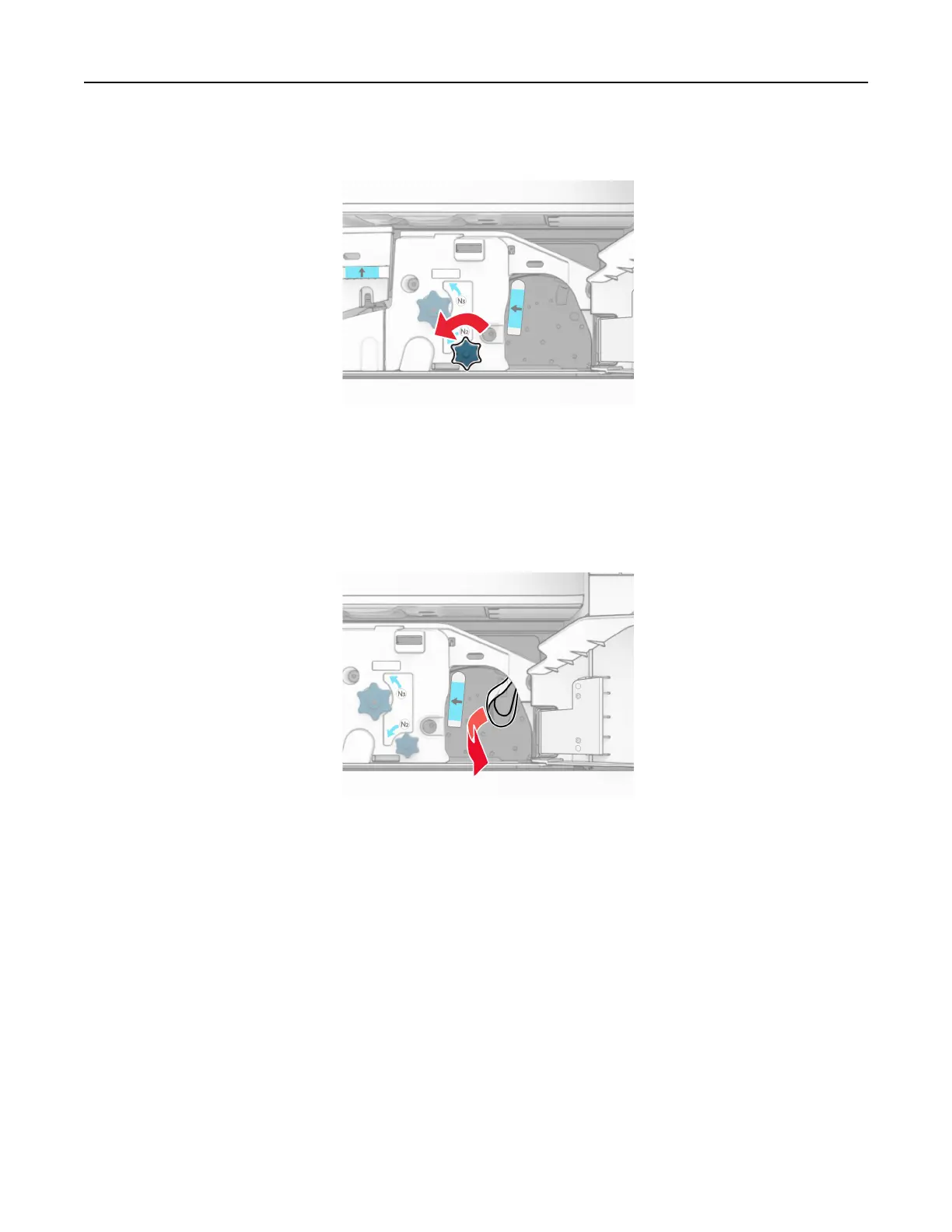
15 Turn knob N2 counterclockwise.
16 Remove the jammed paper.
Warning—Potential Damage: To prevent damage to the printer, remove any hand accessories before
removing the jammed paper.
Note: Make sure that all paper fragments are removed.
17 Put handle N1 back into place.
18 Close handle N5, and then close handle N4.
19 Close door F.
20 Return handle R4 to its original position.
21 Close door H.
Paper jam in the booklet
finisher
If your printer is configured with a paper transport, then do the following:
1 Remove the jammed paper in the finisher standard bin.
Note: Make sure that all paper fragments are removed.
Troubleshoot a problem 502



 To Next Page