ThinPrint
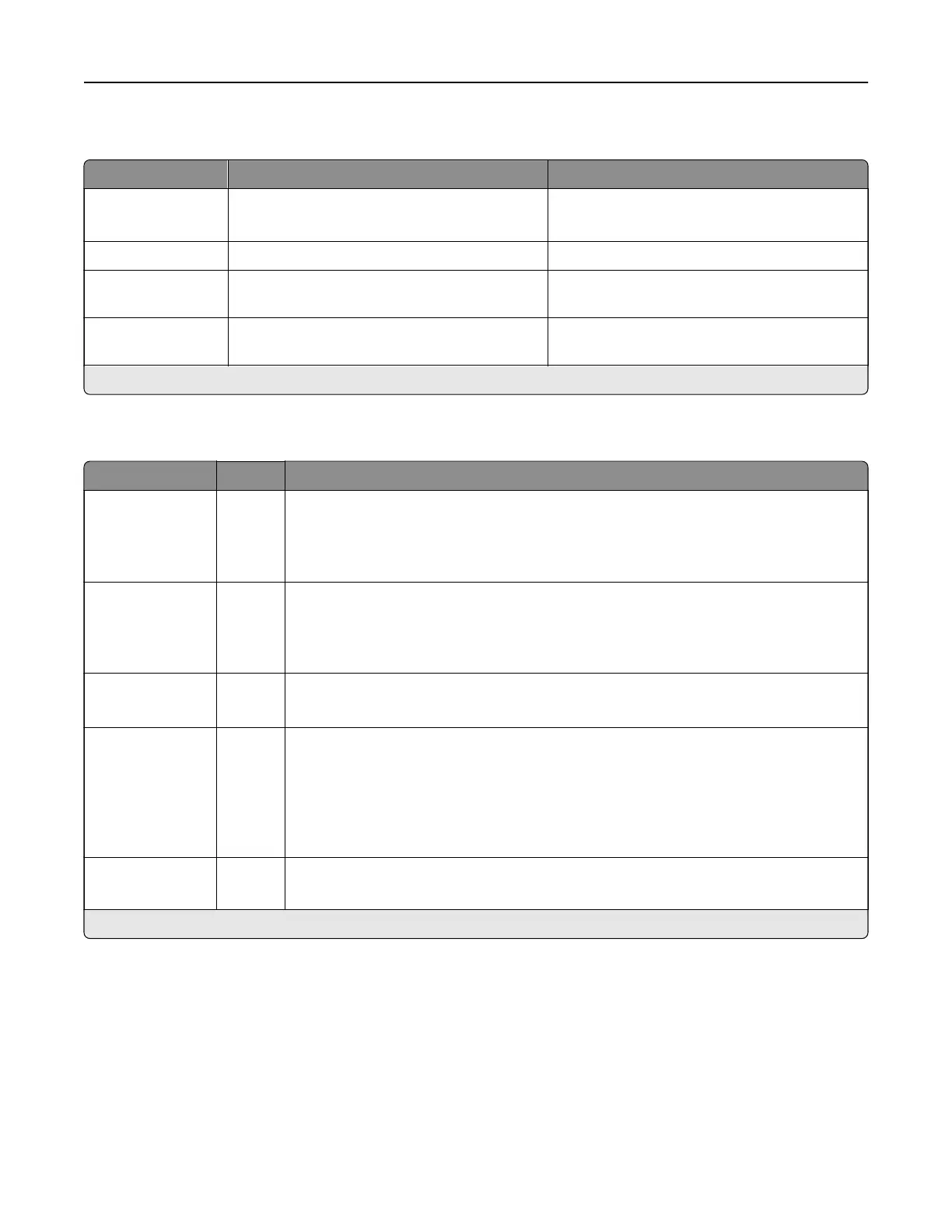
Menu item Settings Description
Enable ThinPrint O*
On
Print using ThinPrint.
Port Number 4000–4999 (4000*) Set the port number for the ThinPrint server.
Bandwidth
(bits/sec)
100–1000000 (0*) Set the speed to transmit data in a ThinPrint
environment.
Packet Size
(kbytes)
0–64000 (0*) Set the packet size for data transmission.
Note: An asterisk (*) next to a value indicates the factory default setting.
USB
Menu item Settings Description
PCL SmartSwitch O
On*
Set the printer to switch to PCL emulation when a print job received through a USB
port requires it, regardless of the default printer language.
Note: When this setting is disabled, the printer does not examine incoming data
and uses the default printer language specified in the Setup menu.
PS SmartSwitch O
On*
Set the printer to switch to PostScript emulation when a print job received through a
USB port requires it, regardless of the default printer language.
Note: When this setting is disabled, the printer does not examine incoming data
and uses the default printer language specified in the Setup menu.
Job Buering O*
On
Temporarily store jobs on the storage drive before printing.
Note: This menu item appears only when a storage drive is installed.
Mac Binary PS Auto*
On
O
Set the printer to process Macintosh binary PostScript emulation print jobs.
Notes:
• Auto processes print jobs from computers using either Windows or Macintosh
operating systems.
•
O
filters
PostScript emulation print jobs using the standard protocol.
Enable USB Port O
On*
Enable the front and rear USB drive ports.
Note: An asterisk (*) next to a value indicates the factory default setting.
Printer menus 364



 To Next Page