Loading the 1500-sheet tray
CAUTION—TIPPING HAZARD: To reduce the risk of equipment instability, load each tray separately.
Keep all other trays closed until needed.
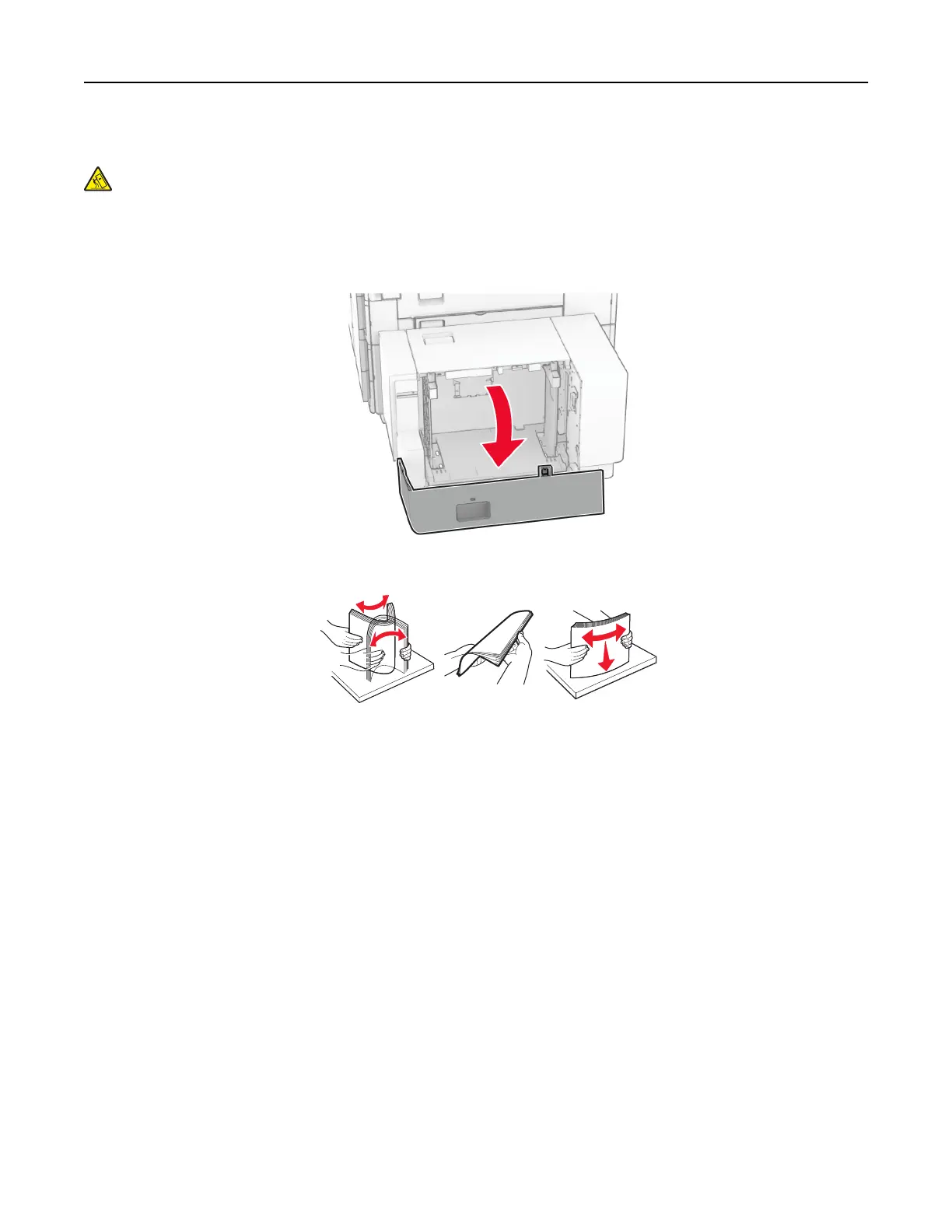
1 Open door K.
Note: To avoid jams, do not open trays while the printer is busy.
2 Flex, fan, and align the paper edges before loading.
3 Load the paper stack with the printable side facedown.
Notes:
• Do not slide paper into the tray.
• Make sure that the stack height is below the maximum paper fill indicator. Overfilling may cause
paper jams.
Set up, install, and configure 87



 To Next Page