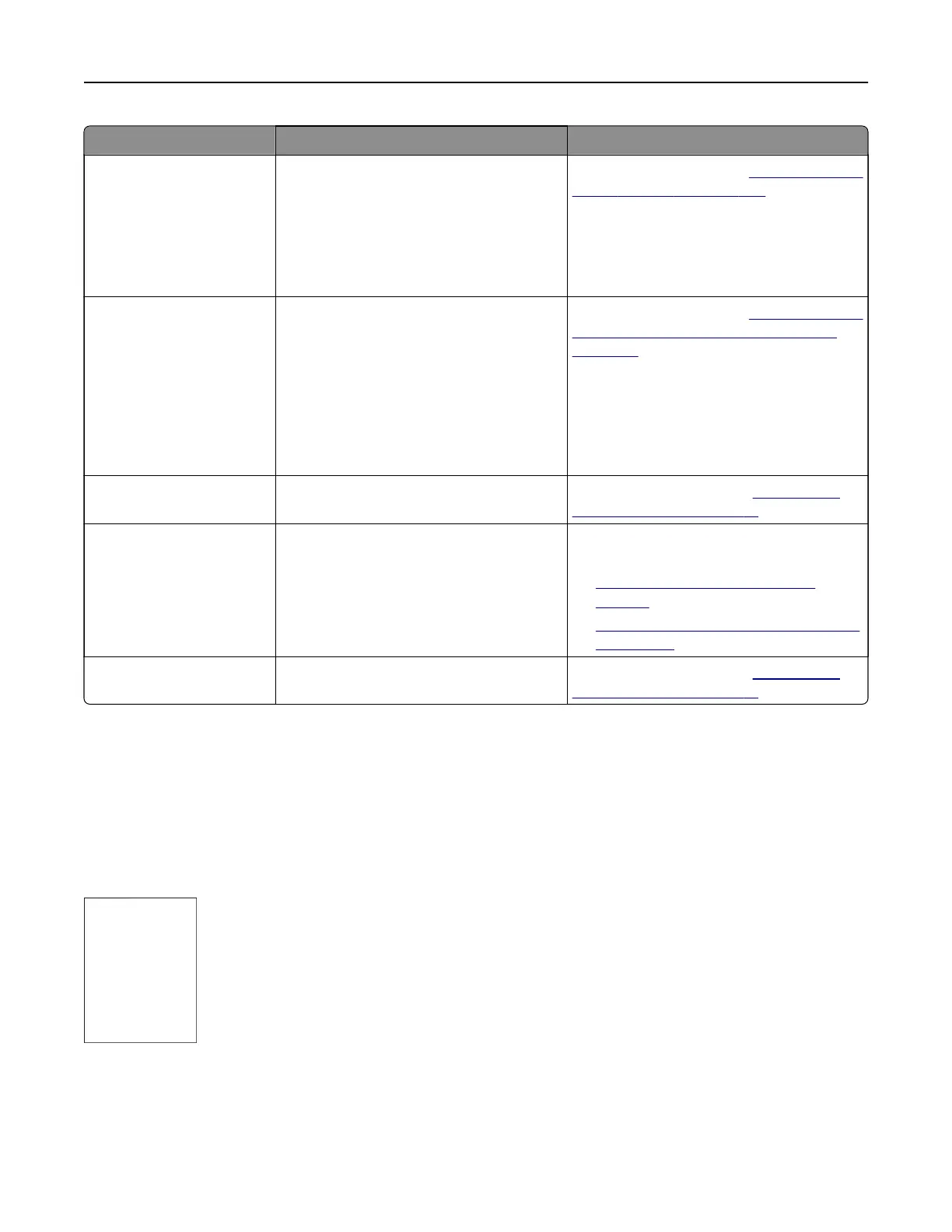
Error codes Error message Solution
420.11, 420.13, 420.15,
420.99, 421.56, 422.56,
423.56, 424.56, 425.13,
425.15, 425.11, 426.11,
426.15, 428.56A, 428.56B,
431.56, 435.56, 438.11,
439.19, 461.56, 698.19
Paper jam in [LOCATION/]. For more information, see
“Paper jam in the
staple finisher” on page 486.
438.11, 500.11, 500.13,
500.15, 500.99, 502.11,
502.13, 502.15, 504.11,
504.13, 504.15, 505.13,
506.11, 506.13, 506.15,
507.11, 507.13, 507.15,
508.56, 509.56, 510.56,
511.56, 512.56, 513.56,
514.19, 698.19, 698.29
Paper jam in [LOCATION/]. For more information, see
“Paper jam in the
paper transport with folding option” on
page 488.
602.29, 662.23 Paper loading error in tray 2. For more information, see
“Loading the
550-sheet tray” on page 81.
602.39, 663.33 Paper loading error in tray 3. For more information, see either of the
following:
• “Loading the 550-sheet tray” on
page 81
• “Loading the 2000-sheet tandem tray”
on page 84
602.49, 664.43 Paper loading error in tray 4. For more information, see
“Loading the
550-sheet tray” on page 81.
Printing problems
Print quality is poor
Blank or white pages
Notes:
• Before solving the problem, print the Print Quality Test Pages. From the control panel, navigate to
Settings > Troubleshooting > Print Quality Test Pages.
• Use tray 1 to print the sample pages and make sure that the paper is loaded in the portrait orientation.
Troubleshoot a problem 455



 To Next Page