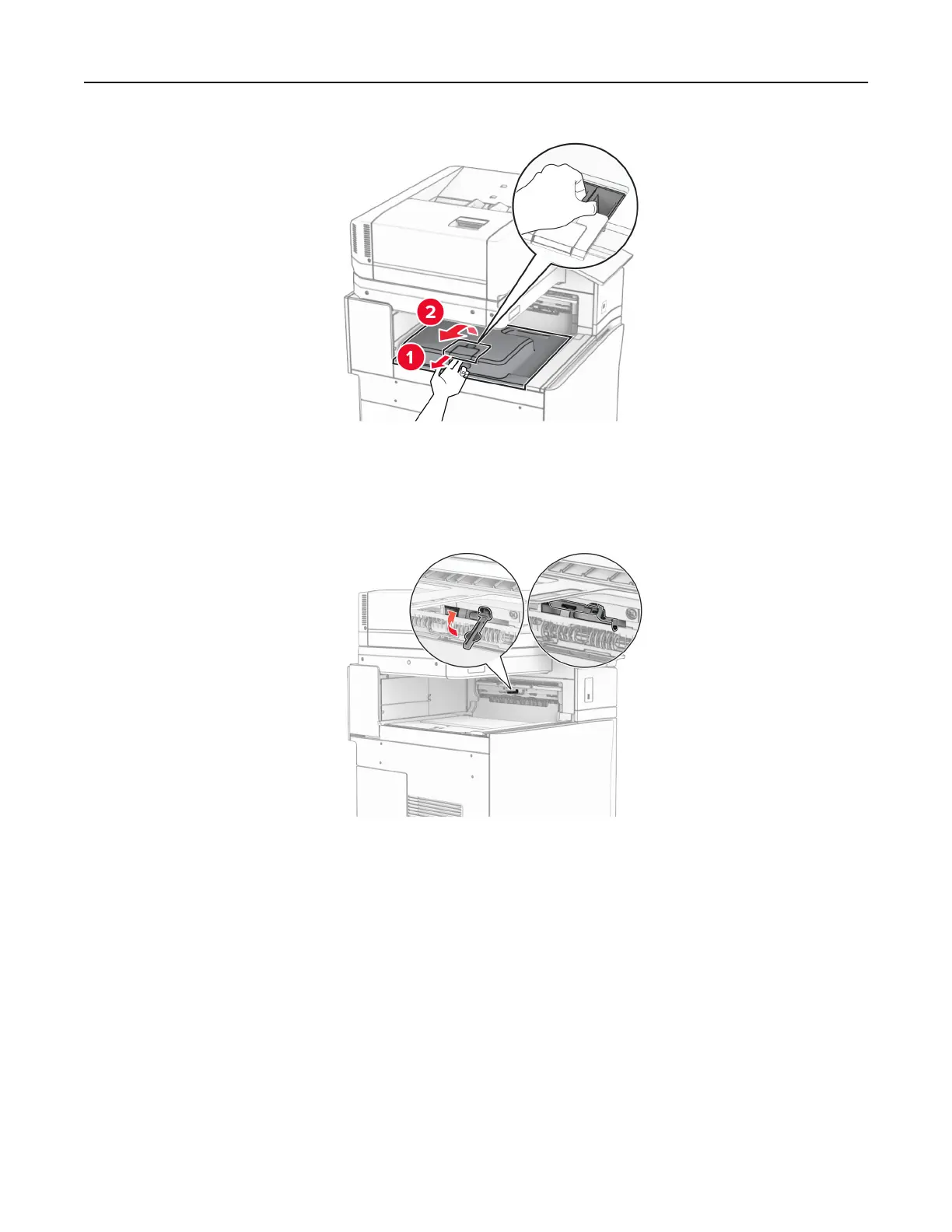
5 Before installing the option, place the exit bin flag into the closed position.
Note: When the option is removed, place the exit bin flag into the open position.
6 Remove the backup roller.
Note: Do not throw away the roller.
Set up, install, and configure 177



 To Next Page