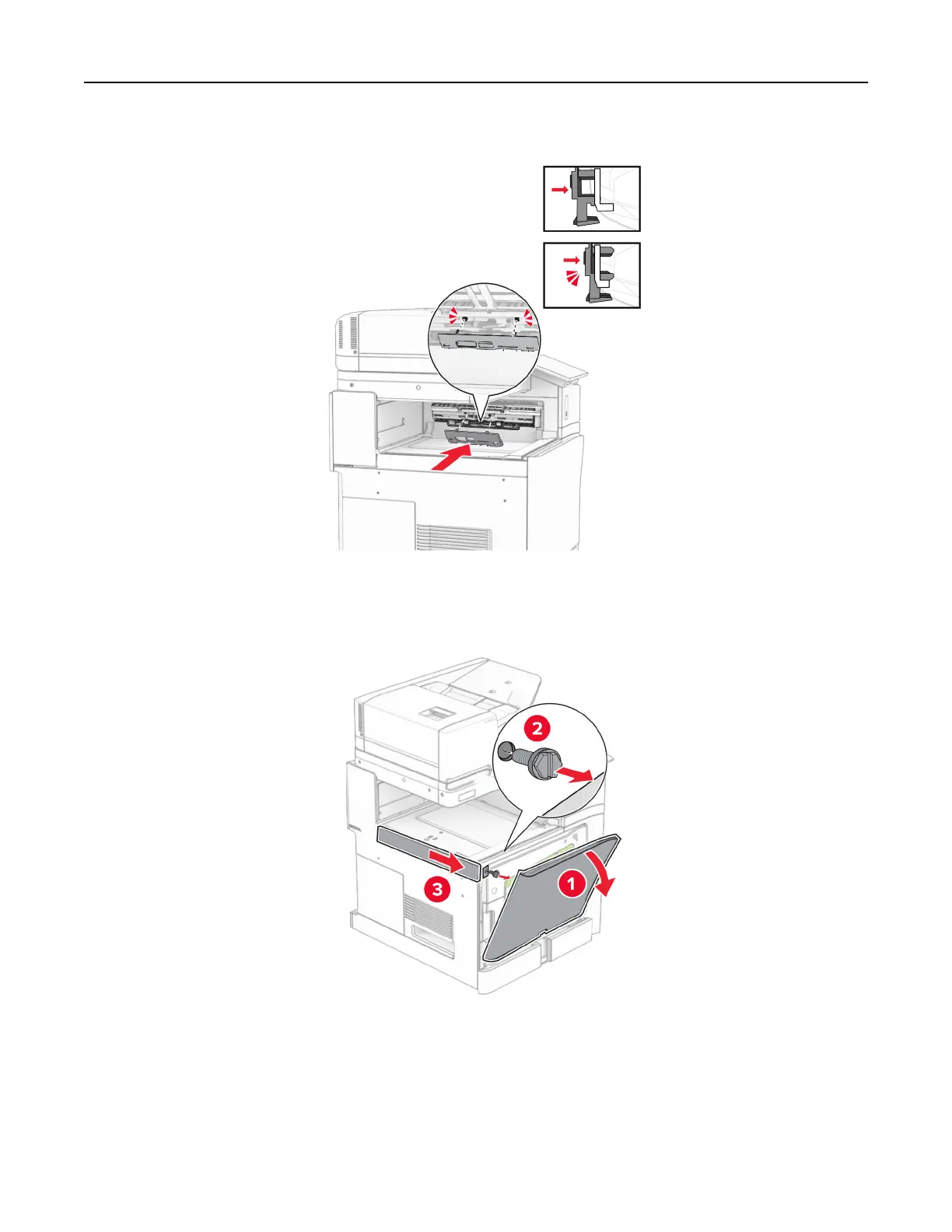
8 Attach the roller cover until it clicks into place.
9 Open the front door, and then remove the cover on the left side of the printer.
Note: Do not throw away the screw and cover.
10 Close the front door.
11 Remove the paper transport connector cover.
Note: Do not throw away the cover.
Set up, install, and configure 215



 To Next Page