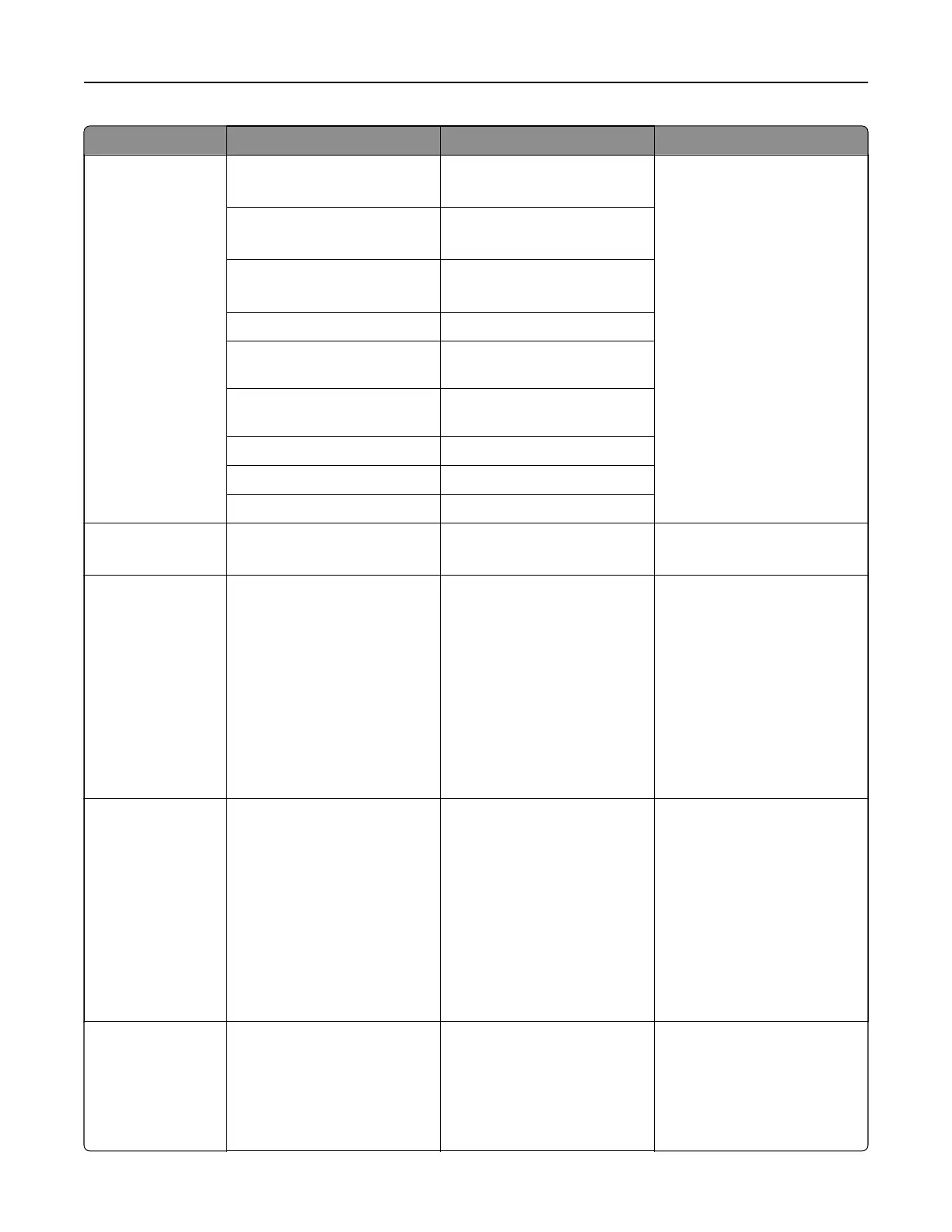
Menu item Submenu item Settings Description
IPv6 Enable IPv6 On*
O
Enable and configure the IPv6
settings in the printer.
Enable DHCPv6 On
O*
Stateless Address
Autoconfiguration
On*
O
DNS Server Address The setting is user‑defined.
Manually Assigned IPv6
Address
The setting is user‑defined.
Manually Assigned IPv6
Router
The setting is user‑defined.
Address Prefix The setting is user‑defined.
All IPv6 Addresses The setting is user‑defined.
All IPv6 Router Addresses The setting is user‑defined.
Network Address N/A UAA
LAA
View the network addresses.
PCL SmartSwitch N/A O
On*
Set the printer to switch
automatically to PCL
emulation when a print job
requires it, regardless of the
default printer language.
Note: If PCL SmartSwitch is
set to O, then the printer
does not examine incoming
data and uses the default
printer language
specified
in
the Setup menu.
PS SmartSwitch N/A O
On*
Set the printer to switch
automatically to PS emulation
when a print job requires it,
regardless of the default
printer language.
Note: If PS SmartSwitch is
set to Oo, then the printer
does not examine incoming
data and uses the default
printer language
specified
in
the Setup menu.
Job Buering N/A On
O*
Temporarily store print jobs in
the storage drive before
printing.
Note: This menu item
appears only when a storage
device is installed.
Printer menus 352



 To Next Page