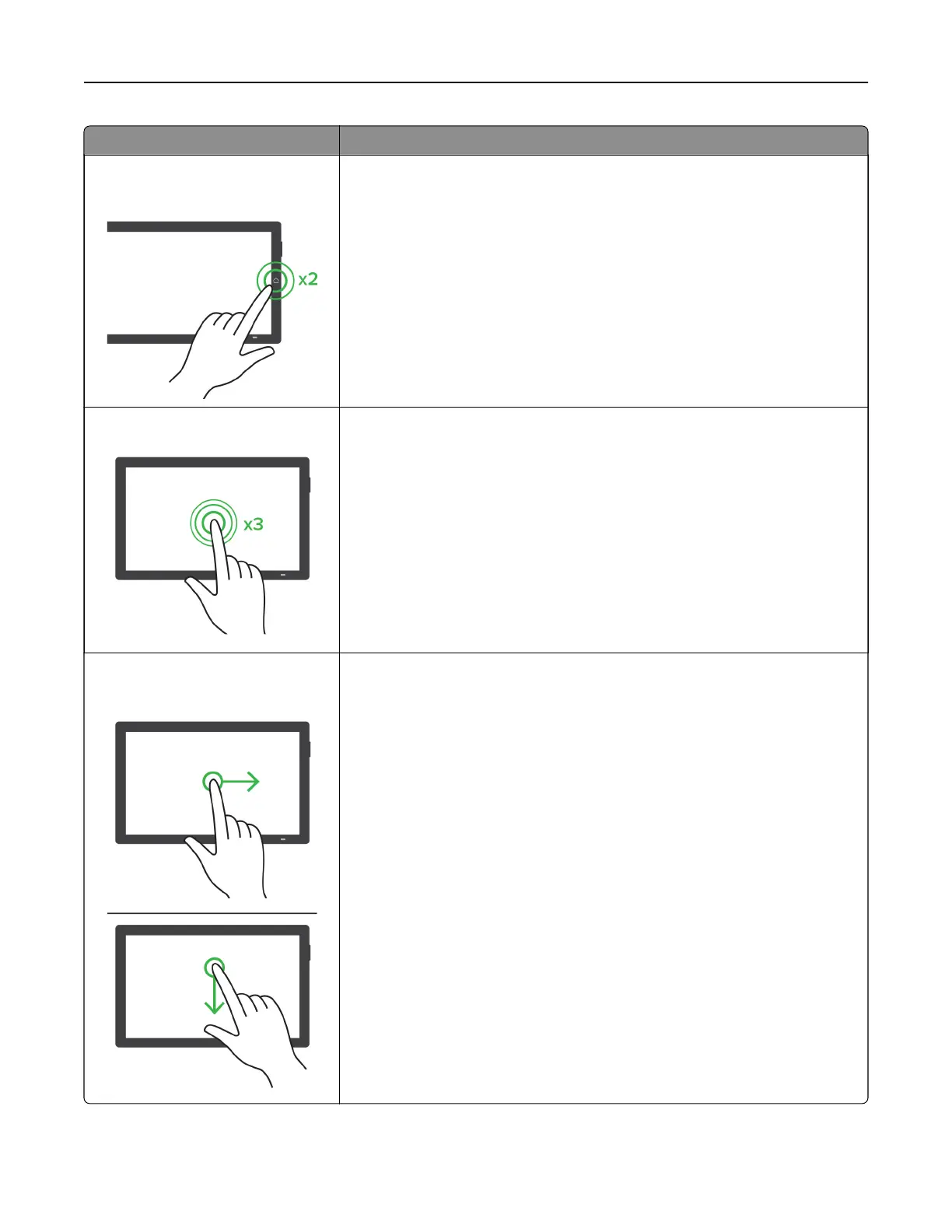
Gesture Function
Double‑tap the home icon using two
fingers
Deactivate the Accessibility mode.
Triple‑tap using one finger
Zoom in or zoom out text and images.
Note: Enable
Magnification
mode to use the zoom feature.
Swipe right or swipe down using one
finger
Move to the next item on the screen.
Set up, install, and configure 69



 To Next Page