MAINTENANCE AN D SERVICING
Inspecting Cutterbar Discs
DANGER
To avoid bodily injury or death from unexpected startup of machine, always stop engine and remove key
from ignition before leaving operator’s seat for any reason.
CAUTION
Cutter blades have two cutting edges. Exercise caution when working around the blades. Blades are sharp
and can cause serious injury. Wear gloves when handling blades.
CAUTION
Damaged blades may damage the cutterbar and result in poor cutting performance. Replace damaged
blades at earliest possible opportunity.
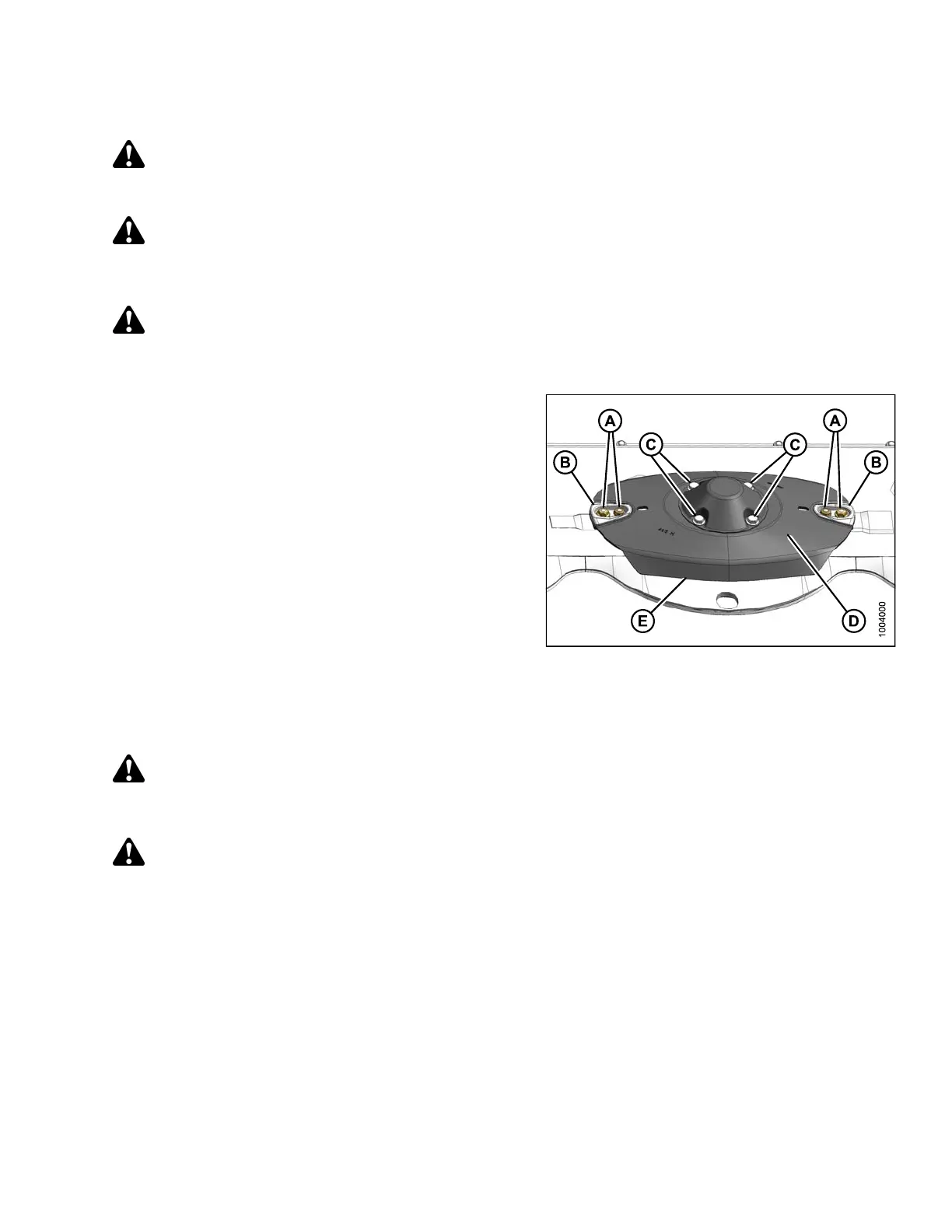
1. Ensure that the cutterblade fasteners (A) are securely
attached to the cutterb ar disc and t hat nut shield s (B)
are present and undamaged. Replace as required.
2. Check that the cutterbar disc bolts (C) are securely
attached to the s pindles. Tighten as required.
3. Inspect the cutterbar disc surface (D) for cracks,
excessive wear, and disc distortion. Replace
as required.
4. Inspect the cutterbar disc edges (E) for cracks,
excessive wear, and edge distortion. Replace
as required.
NOTE:
Cutterbar discs are NOT repairable and must be
replaced if damaged.
Figure 4.23: Cutterbar Disc
Removing Cutterbar Discs
DANGER
To avoid bodily inju
ry or death from unexpected start-up or fall of a raised machine, stop engine, remove
key, and engage hea
der lift cylinder lock-out valves before going under machine for any reason.
CAUTION
Cutter blades have two cutting edges. Exercise caution when working around the blades. Blades are sharp
and can cause serious injury. Wear gloves when handling blades.
147910 131 Revision A





 To Next Page