MAINTENANCE AND SERVICING
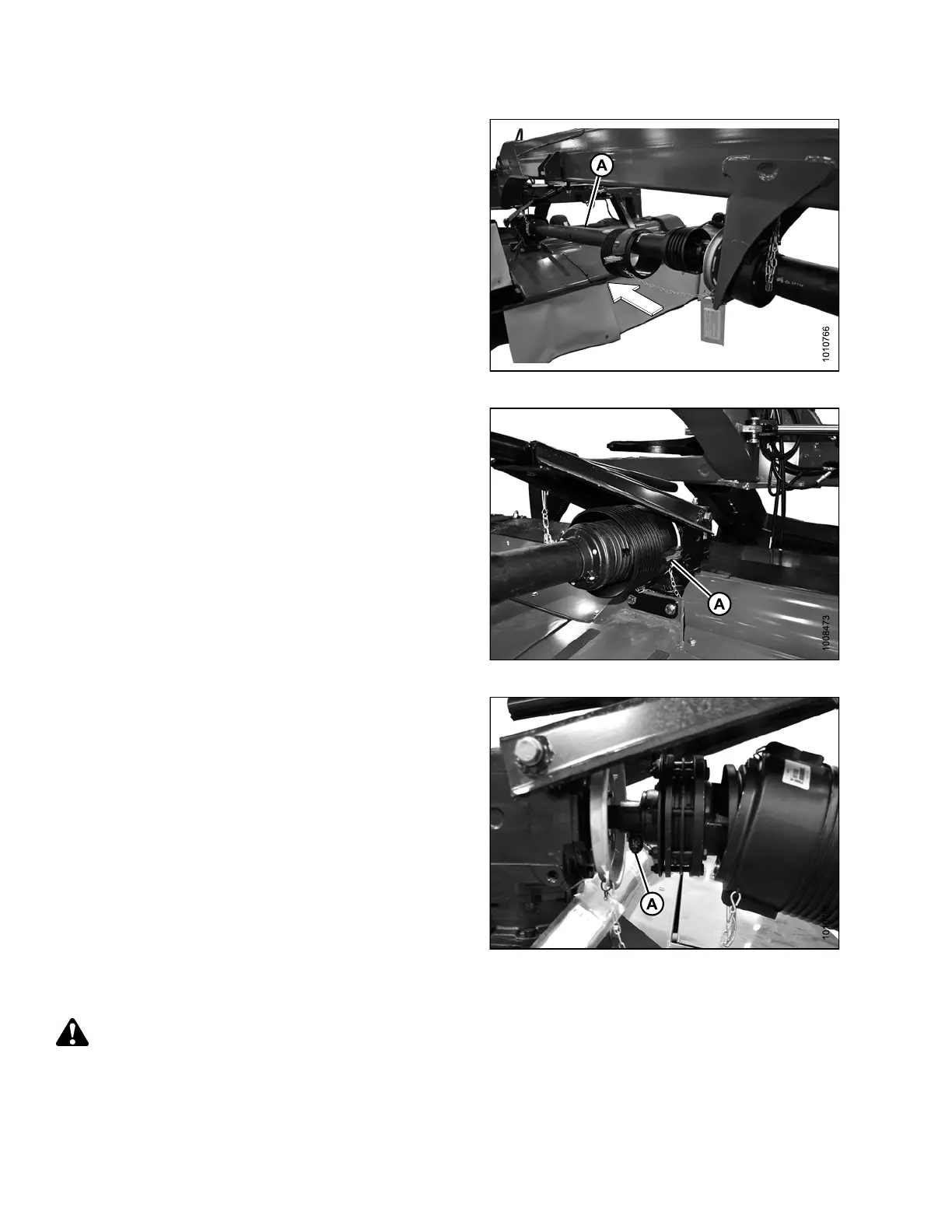
6. Slide clutch driv eline (A) off hitch driveline.
7. Separate the driveline (A).
Figure 4.171: Driveline
8. Release two lever clamp s (A) on the shield cone
installed at the rear swivel gearbox.
9. Remove driveline guard if necessary. Refer to
Removing Driveline Guard, page 201.
Figure 4.172: Driveline Shield Cone
10. Slide shield a way from gearbox.
11. Loosen nut (A), use a hammer to release driveline from
taper pin lock, and pull driveline off gearbox shaft.
Figure 4.173: Driveline and Gearbox
Installing Clu tch Driveline
DANGER
To avoid bodily injury or death from unexpected startup of machine, always stop engine and remove key
from ignition before leaving operator ’s seat for any reason.
1. Stop engine and remove key from ignition.
147910 194 Revision A





 To Next Page