MAINTENANCE AND SERVICING
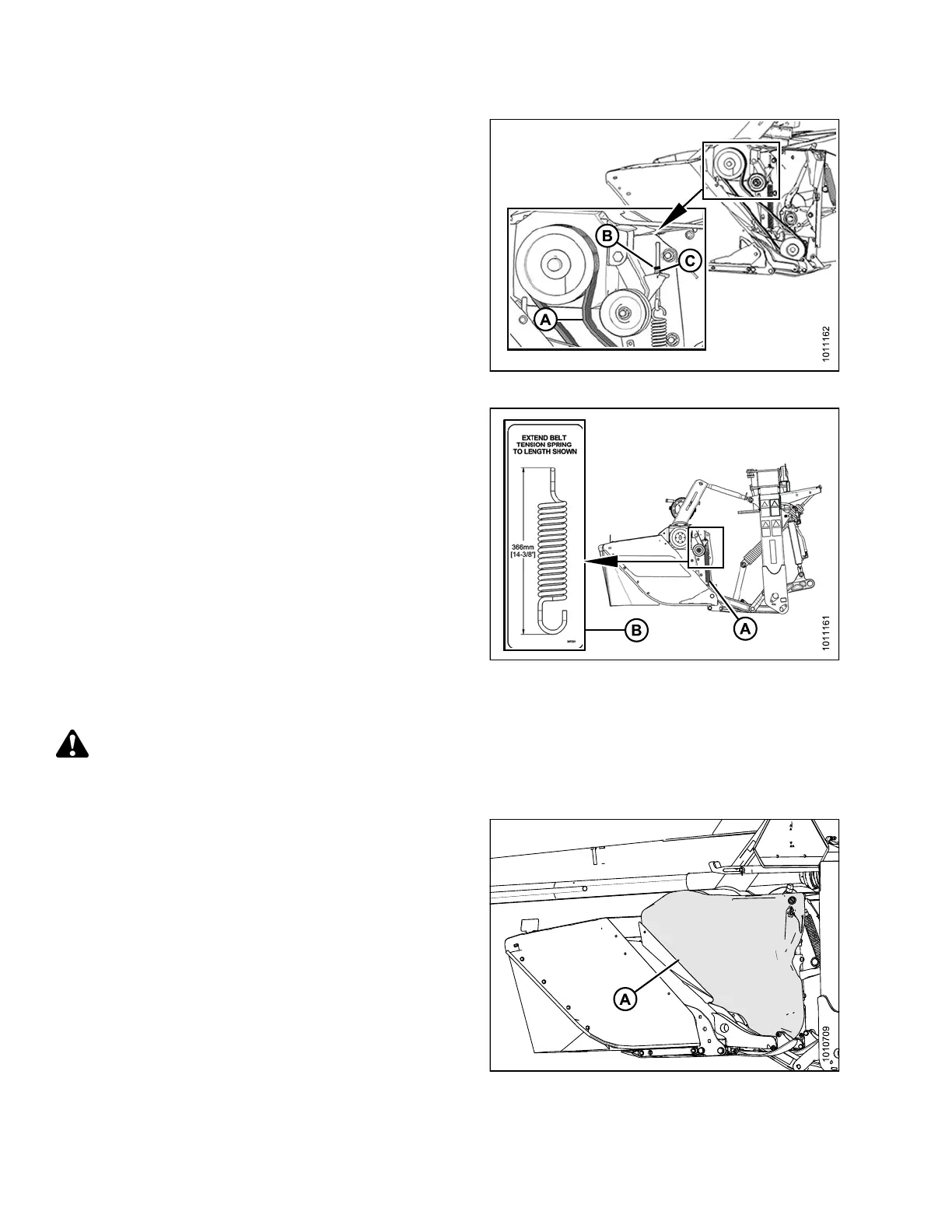
3. Inspect drive belt (A) and replace if damaged
or cracked.
4. Check that jam nut (B) and adjuster nut (C) are tight.
Figure 4.198: Conditioner Drive
5. Measure the length of tensioner spring (A), and ensure
spring length is 14-3/8 in. in accordance with spring
tension decal (B). If spring length requires adjustment,
refer to Installing C onditioner Drive Belt, page 207.
6. Close driveshield. Refer to 3. 2. 2 Closing Driveshields,
page 34.
Figure 4.199: Spring Tension Decal
Removing Conditioner Drive Belt
DANGER
To avoid bodily injury or death from unexpected startup of machine, always stop engine and remove key
from ignition before leaving operator's seat for any reason.
1. Lower mower conditioner fully, turn off engine, and
remove key.
2. Remove the le ft d riveshield (A). Re fe r to 4.8.1
Removing Driveshields, page 224.
Figure 4.200: Left Driveshield
147910 206 Revision A





 To Next Page