MAINTENANCE AN D SERVICING
6. Remove the left driveshield. Refer to 4.8.1 Removing
Driveshields, page 224.
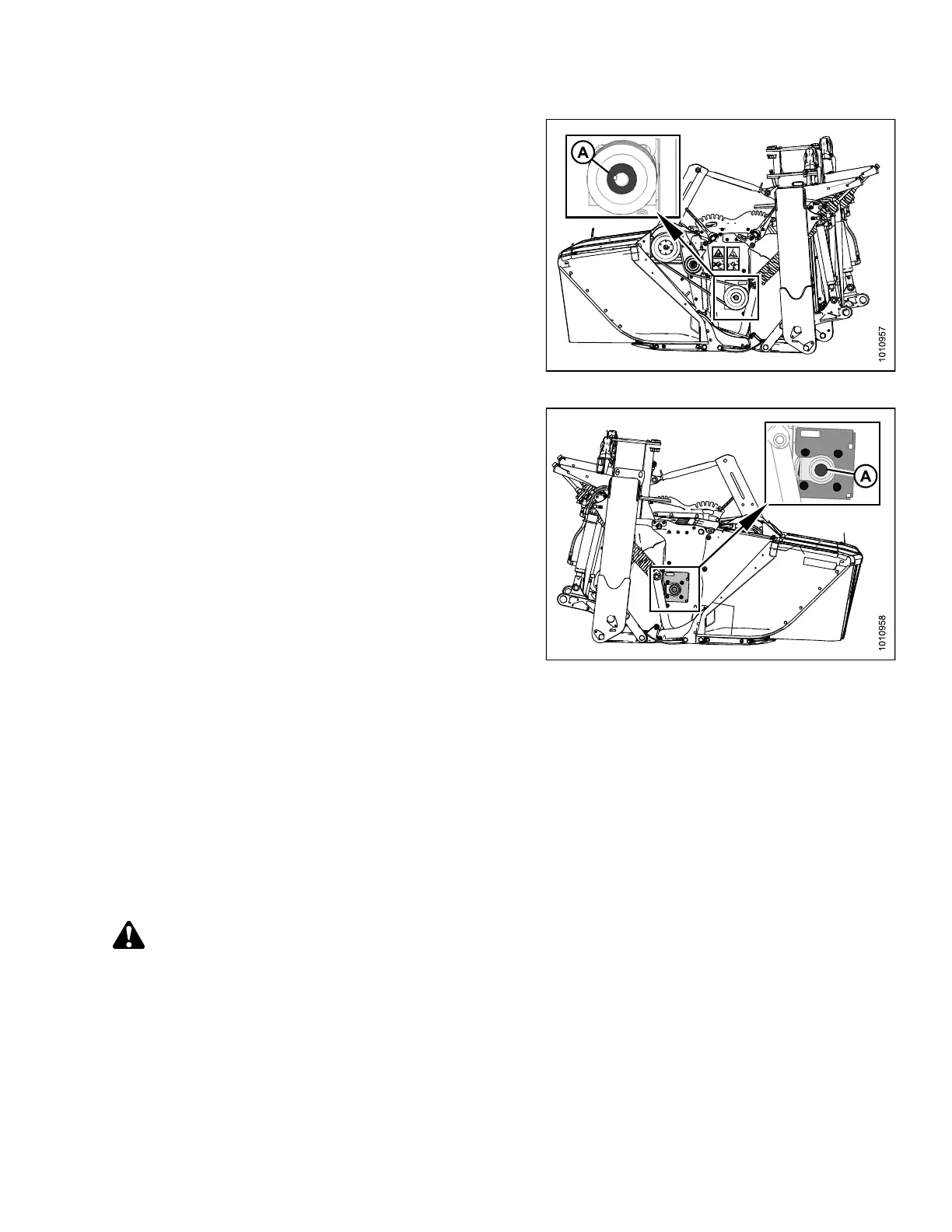
7. Inspect left side rotor bearing (A) for signs of wear
or damage.
Figure 4.255: Left Rotor Bearing
8. Remove the right driveshield. Refer to 4.8.1 Re moving
Driveshields, page 224.
9. Inspect right side rotor bearing (A) for signs of wear or
damage, and replace bearing if necessary.
Figure 4.256: Right Side Rotor Bearing
4.9.3 Changing the Conditioner
R113/
R116 Pull-Type Rotary Disc Mower Conditioners can be equipped with either a finger conditioner, a
polyu
rethane roll conditioner, or a steel roll conditioner. Follow these instructions to change conditioners.
These
instructions apply to all conditioners. Exceptions are identified where applicable.
Sepa
rating Header from Carrier
The mower conditioner includes a he ader and conditioner attached to a carrier frame. Before removing or insta lling
the conditioner, the mower conditioner and carrier must be separated.
DANGER
To avoid bodily injury or death from unexpected startup of machine, always stop engine and remove key
from ignition before leaving operator’s seat for any reason.
147910 231 Revision A





 To Next Page