MAINTENANCE AND SERVICING
1. Raise mower conditioner fully, shut off engine, and
remove key.
2. Engage lift cylinder lock-out valves. Refer to 3.1.1
Engaging Locks, page 31.
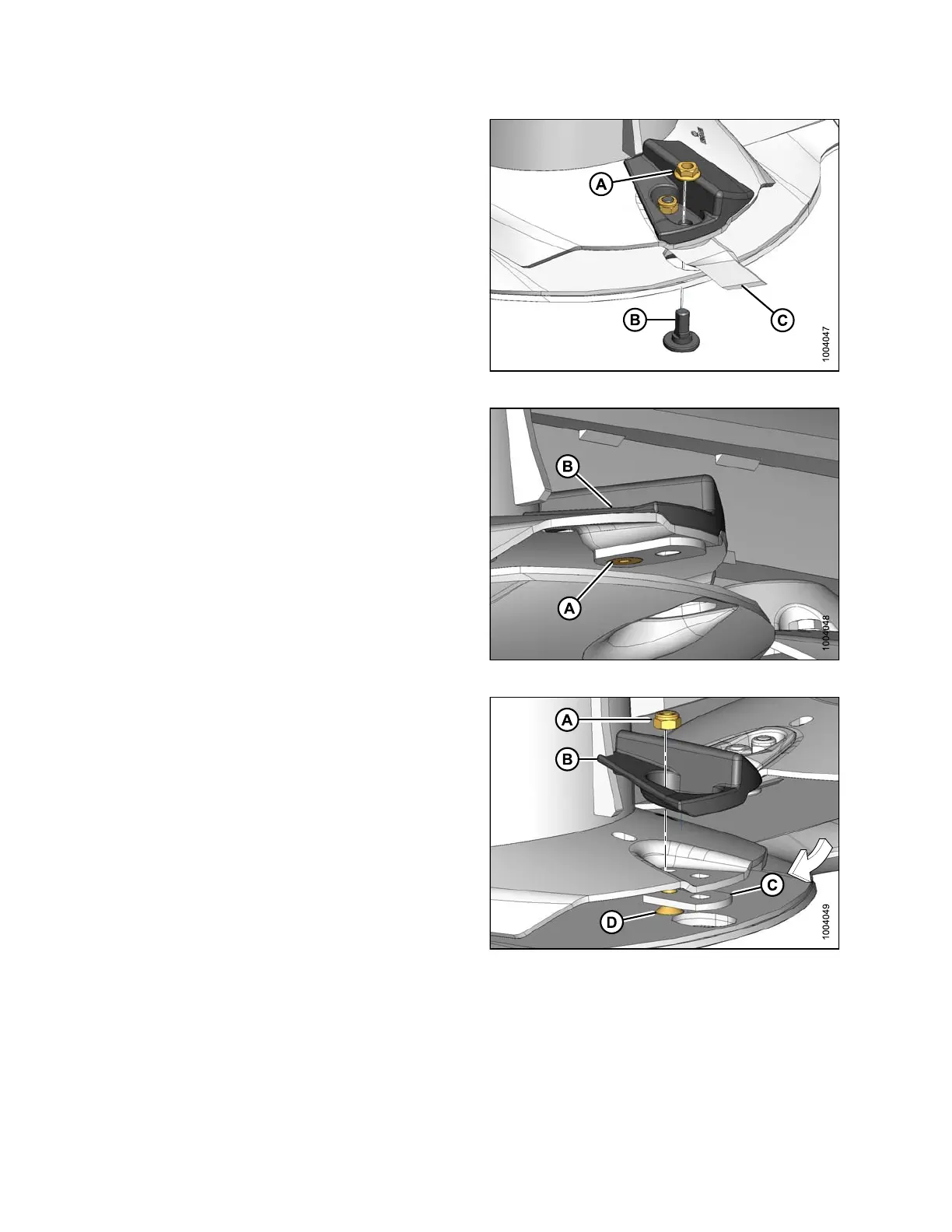
3. Remove nut (A), flange bolt (B), and cutterblade (C)
from disc.
Figure 4.85: Cutterblade and Disc
4. Use a hex wrench on bolt (D).
Figure 4.86: Hex-Socket Bolt
5. Remove lock nut (A), accelerator (B), blade holder (C),
and hex-socket bolt (D).
6. Repea t the removal procedure for the secon d
accelerator.
Figure 4.87: Accelerator and Hardware
Installing Accelerators
IMPO
RTANT:
Always replace accelerators in pairs to ensure proper disc balance.
147910 160 Revision A





 To Next Page