MAINTENANCE AN D SERVICING
1. Lower mower conditioner fully, shut off engine, and
remove key.
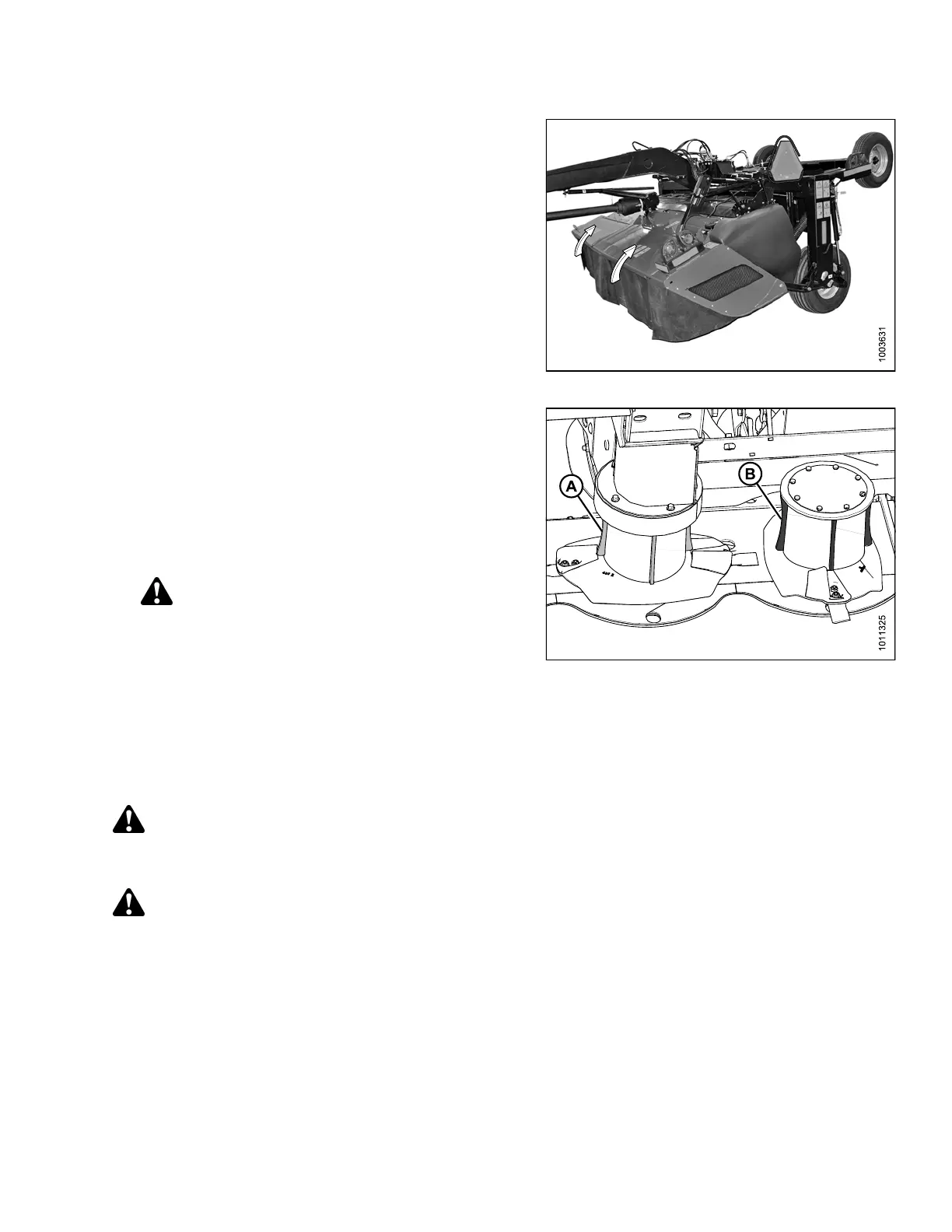
2. Open cutterbar doors. Refer to 3.3.1 Opening
Cutterbar Doors, page 36.
Figure 4.98: Cutterbar Doors
3. Inspect deflectors (A) and (B) for damage and wear,
and replace if deflectors are worn at the center to
50% or more of their original thickness. Do NOT
repair deflectors.
4. Examine drums for significantly sized dents . Replace
dented drums to prevent an imbalance in the cutterbar.
5. Check for loose or missing fasteners and tighten or
replace missing fasteners.
WARNING
Ensure cutterbar is completely clear of foreign
objects. Foreign objects can be ejected with
considerable force when the machine is started
and may result in serious injury or machine
damage.
6. Close cutterbar doors. Refer to 3.3.3 Closing Cutterbar
Doors, page 38.
Figure 4.99: Rotary Deflecto rs
Removing Driven Rotary Deflectors and D riveline
DANGER
To avoid bodily injury or death from unexpected start-up or fall of a raised machine, stop engine, remove
key, and engage header lift cylinder lock-out valves before going under machine for any reason.
CAUTION
Exercise caution when working around the blades. Blades are sharp and can cause serious injury. Wear
gloves when handling blades.
147910 165 Revision A





 To Next Page