OPERATION
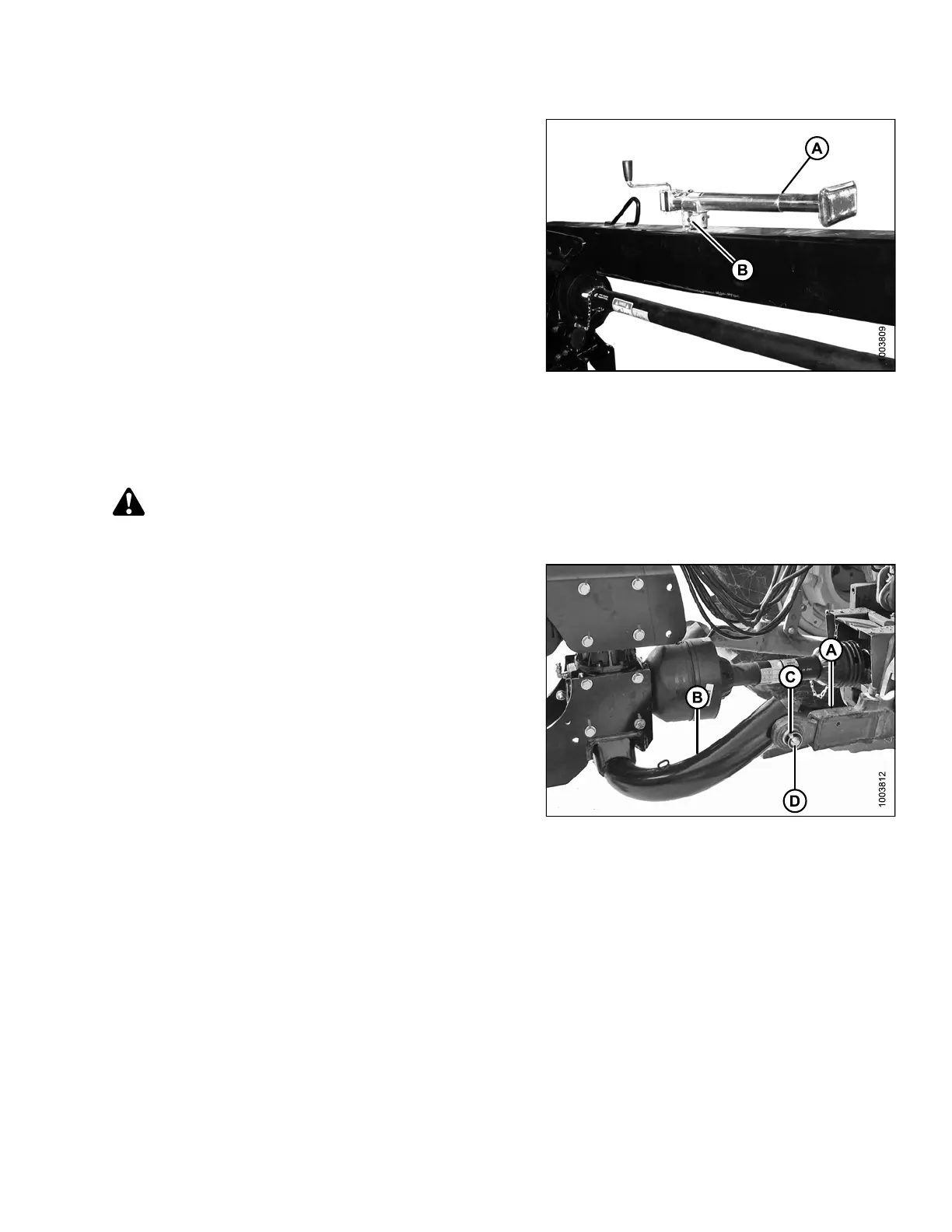
10. Move jack (A) to storage position on top of hitch, and
secure with pin (B).
11. Proceed to 3.7.3 Connecting Hydraulics, page 47.
Figure 3.27: Jack Storage
3.7.2 Attaching with Two-Point Hitch
Follow the
se steps to attach Categor y II, I IIN, and III two-point hitches:
CAUTION
Shut off tractor, engage parking brake, and remove key before working around hitch.
1. Position tractor and align tractor h itch arms (A) with
hitch adapter (B).
2. Shut off tracto r and remove k ey.
3. Remove lynch pins (C) and washers from
hitch adapter.
NOTE:
If tracto r i s equipped with a Category III hitch, use a
bushing (MD #224322) on each hitch pin (D).
4. Secure arms (A) onto adapter pins (D) with lynch
pins (C).
5. Install anti-sway bars (not shown) on tractor hitch to
stabilize lateral m ovement of hitch arms (A). Refer to
your tractor operator’s manual.
Figure 3.28: Two-Point Hitch Configuration
147910 45 Revision A





 To Next Page