MAINTENANCE AND SERVICING
1. Place a pin (or equiva lent) in the front hole of the
rock guard to prevent disc rotation while tightening
blade bolts.
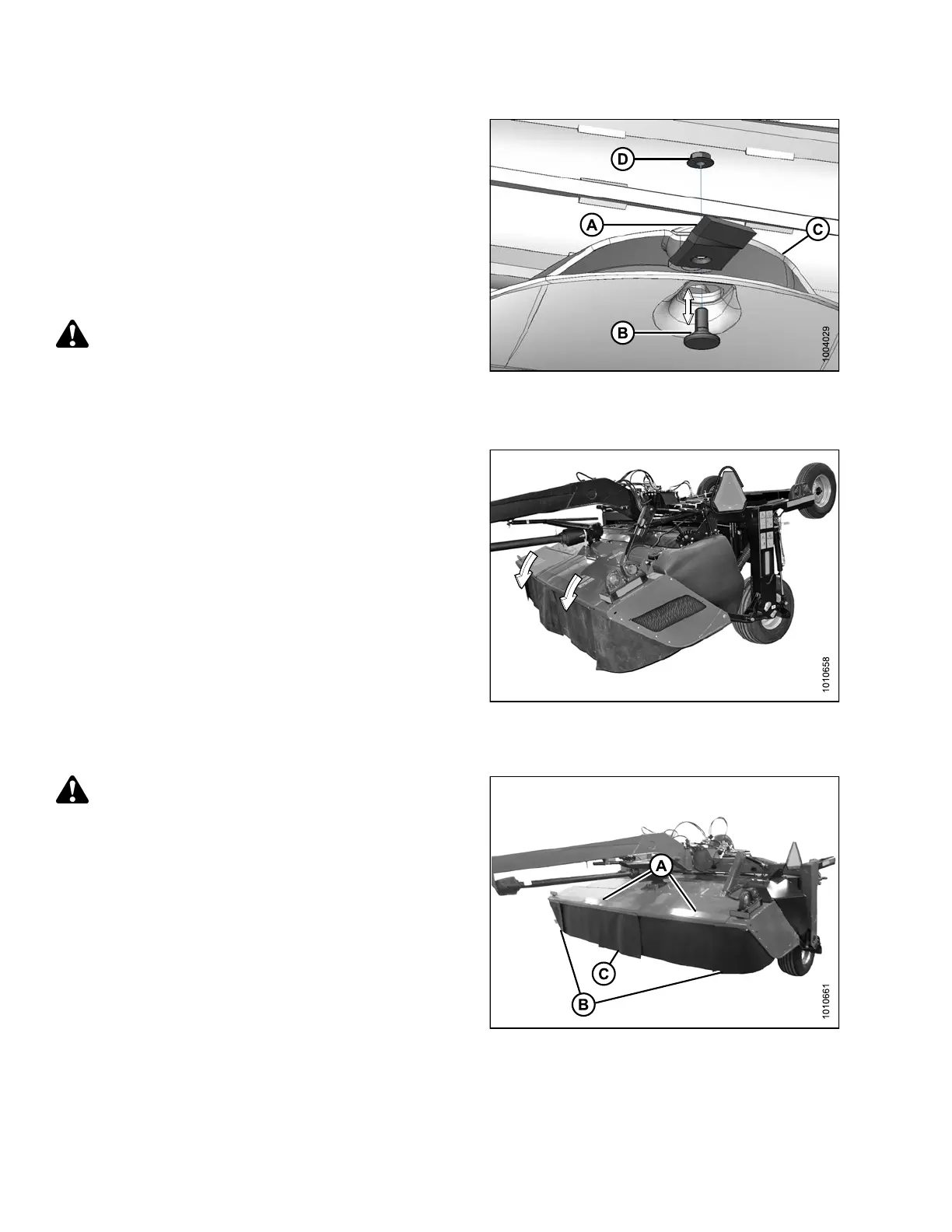
2. Install new or reversed blade (A) with shoulder bolt (B)
onto disc (C).
IMPORTANT:
Nuts are one-time-use only. W hen flipping or changing
a blade, replace using a new nut only.
3. Install new nut (D) and torque to 92 ft·lbf (125 N·m).
WARNING
Ensure cutterbar is completely clear of foreign
objects. Foreign objects can be ejected with
considerable force when the machine is started and
may result in serious injury or machine damage.
Figure 4.60: Nut, Shoulder Bolt, and
Cutter Blade
4. Close cutterbar doors. Refer to 3.3.3 Closing Cutterba r
Doors, page 38.
Figure 4.61: Cutterbar Doors in Closed Position
4.4.6 Cutterbar Doors
WARNING
Do NOT operate th
e machine without all the cutterbar
doors down or wi
thout curtains installed and in
good condition
.
There are two doors (A) that provide access to the
cutterbar area.
Rubber outboard curtains (B) are attached to each front
corner, and an inboard curtain (C) is installed at the center
fixed cover location. Always keep these curtains down
when operating the mower conditioner.
IMPORTANT:
Replace curtains if they become worn or damaged.
Refer to 4.4.7 Curtains, page 151 or contact your Dealer
for replaceme nt instructions.
Figure 4.62: Cutterbar Doors and Curtains
147910 150 Revision A





 To Next Page