MAINTENANCE AN D SERVICING
WARNING
Ensure cutterbar is completely clear of foreign
objects. Foreign objects can be ejected with
considerable force when the machine is started and
may result in serious injury or machine damage.
13. Remove pin (or equivalent) from front hole of
rock guard.
14. Close cutterbar doors. Refer to 3.3.3 Closing Cutterbar
Doors, page 38.
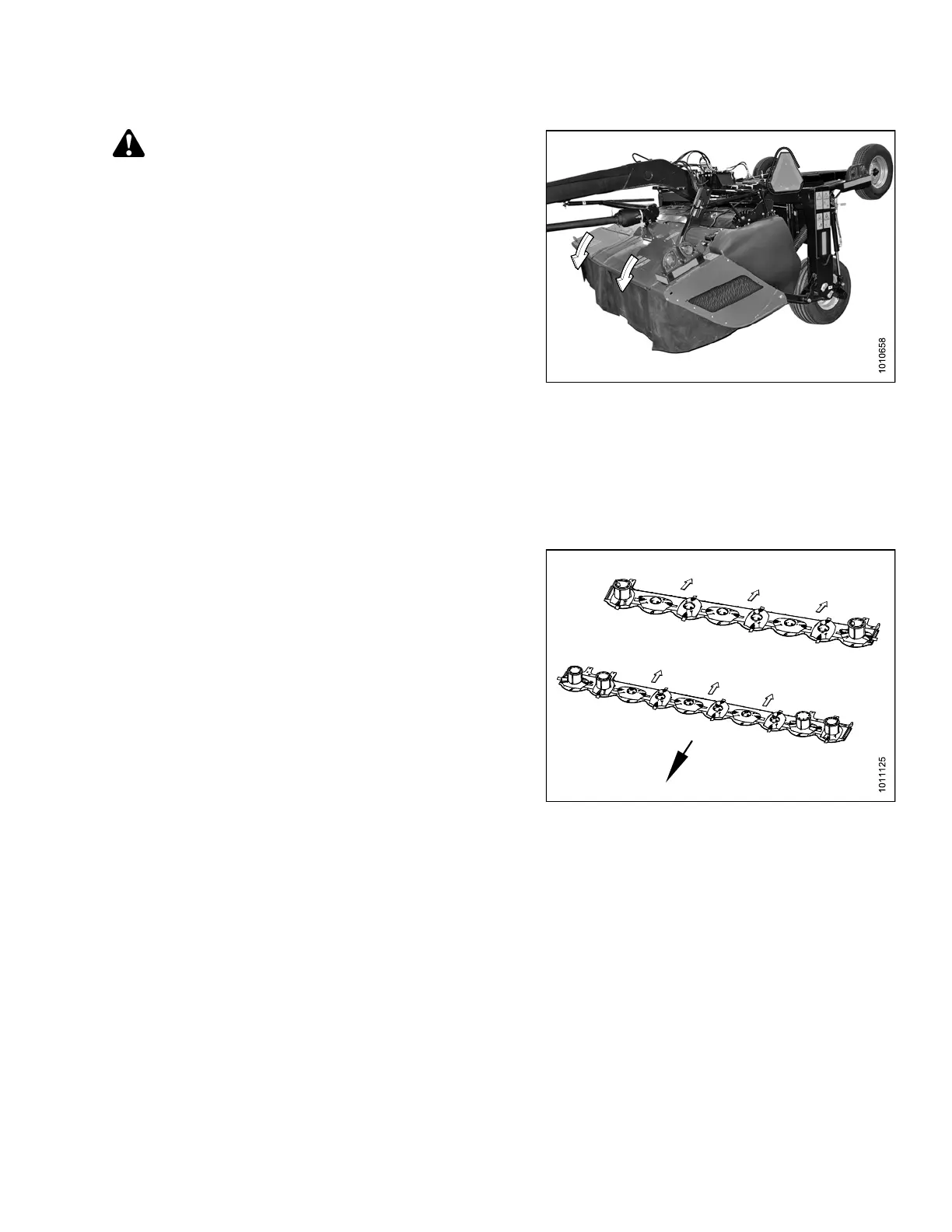
Figure 4.47: Cutterbar Doors in Closed Position
4.4.4 C utterb ar Crop Stream Configuration
Discs are factory installed to produce three crop streams, but disc rotation pattern can be changed by substitution
of spindle and corresponding disc to suit crop conditions. A spindle and disc are rotation specific and must be
changed as sets when altering crop flows.
Reducing or increasin g the nu mber o f crop strea ms will
produce the following results:
• Reducing the number of crop streams will result in
narrower win drows.
• Increasing the number of crop streams will result in
smoother, wider windrows.
NOTE:
Incre
asing the number of crop streams will
also i
ncrease the number of diverging disc
pair
s which may negatively affect cut quality in
cert
ain conditions.
Figu
re 4.48: 13- and 16-Foot Cutterbars
147910
14
1
Revision A





 To Next Page