OPERATION
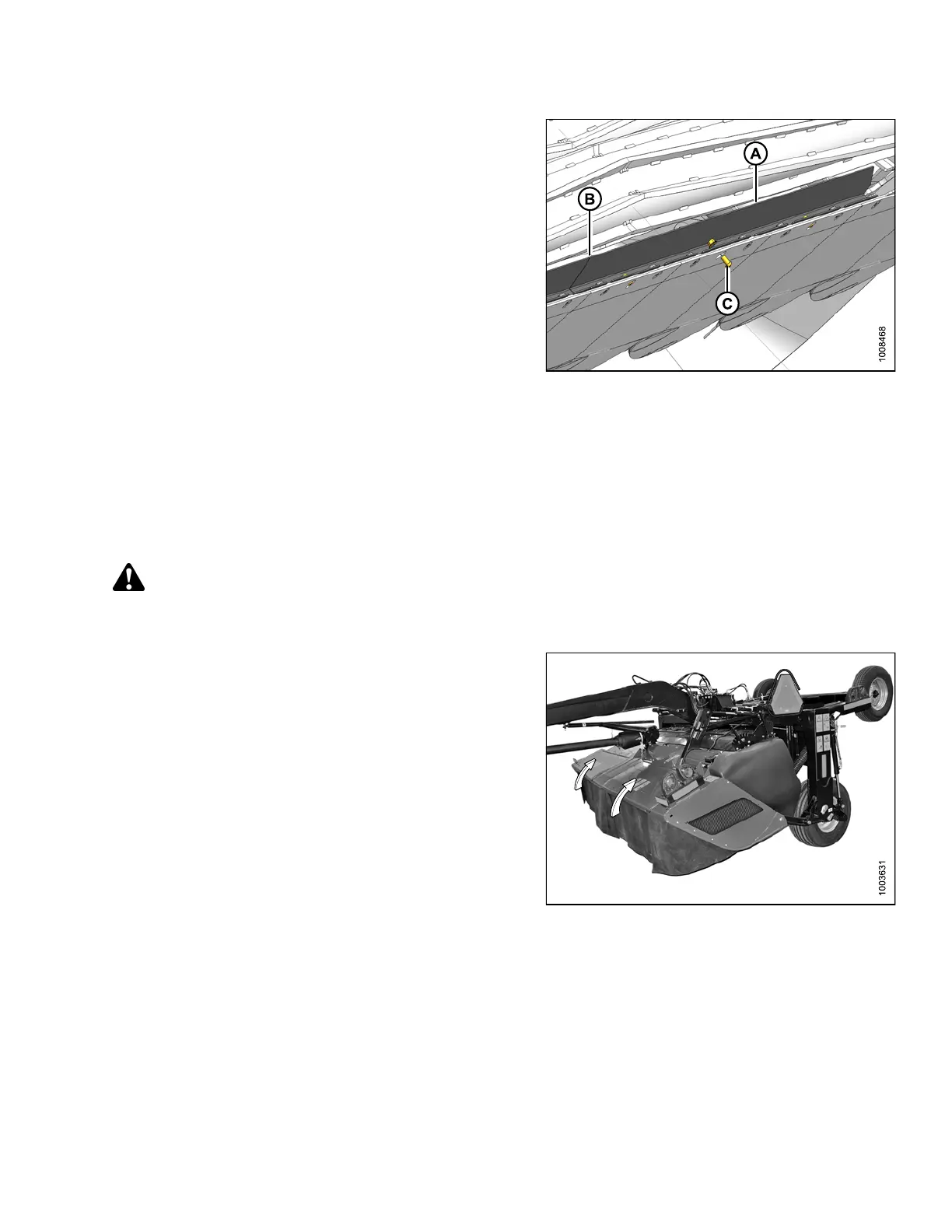
6. Repeat steps two through step four to install right
deflector (A).
7. Align deflectors at position (B) and tighten bolts (C) to
specified torque with a 16 mm socket and an 8 mm
hex key.
Figure 3.122: Right Cutterbar Deflector Viewed
from Underside of Cutterbar
3.15.12 Tall Crop Divider Option
Tal l c r op
dividers (one on each end of the mower conditioner) assist in clean crop dividing and cutterbar entry in tall
crops. Ta
ll crop dividers are not adjustable, but they are removable.
Removing
Ta ll Crop Divider
DANGER
To avoid bodily injury or death from unexpected startup of machine, always stop engine and remove key
from ignition before leaving Operator's s eat for any reason.
1. Lower mower conditioner fully, shut down tractor and
mower conditioner, and remove key.
2. Open cutterbar doors. Refer to 3.3.1 Opening
Cutterbar Doors, page 36.
Figure 3.123: Cutterbar Doors
147910 99 Revision A





 To Next Page