OPERATION
Installing Tall Crop Divider
DANGER
To avoid bodily injury or death from unexpected startup of machine, always stop engine, and remove key
from ignition before leaving operator's seat for any reason.
IMPORTAN T:
If mower conditioner will be transported on public roads in the Road Friendly Transport
™
mode, do not install the
tall crop dividers. Keep these instructions and install the dividers after the machine is delivered to the customer.
1. Lower the mower conditioner fully.
2. Shut down the tractor and mower conditioner and
remove key.
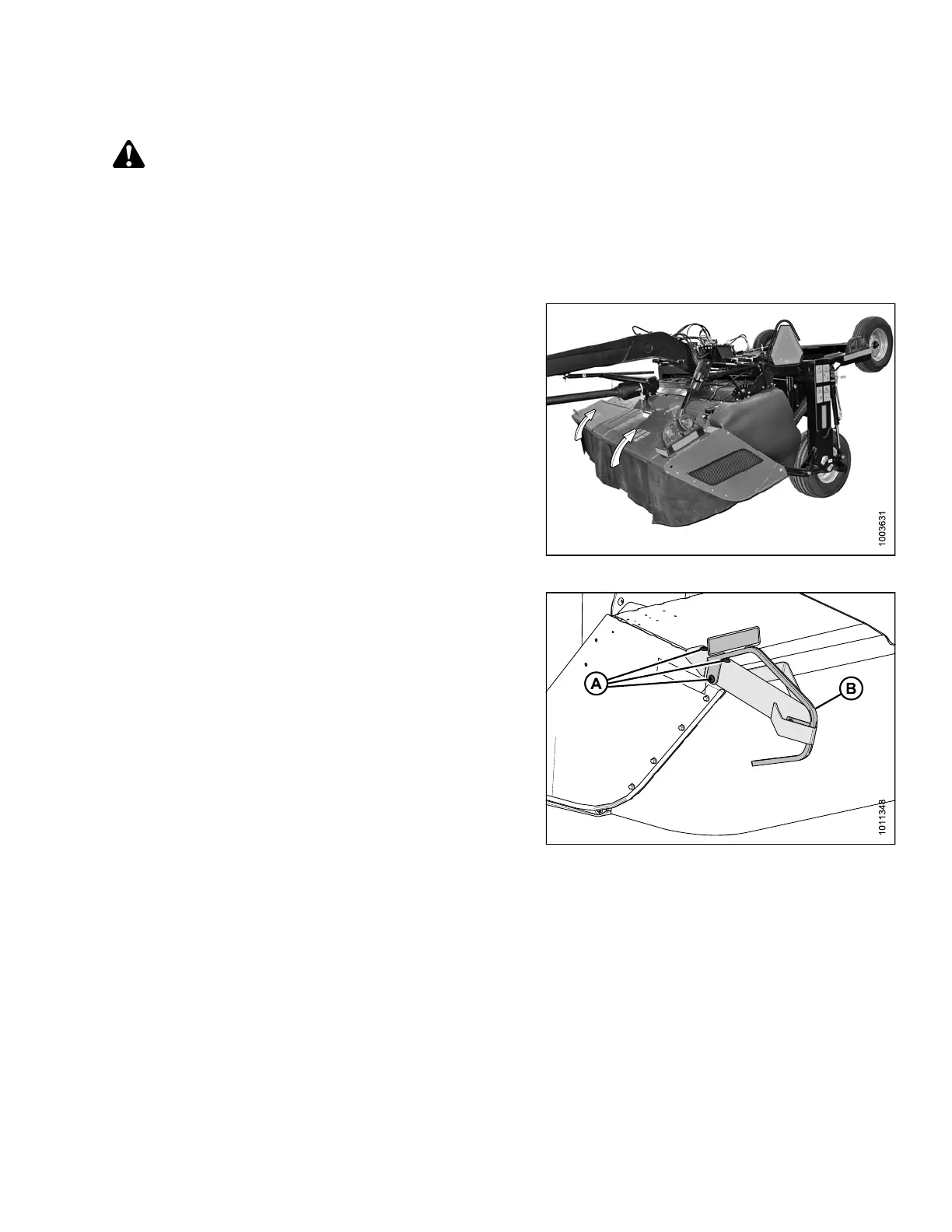
3. Open cutterbar doors. Refer to 3.3.1 Opening
Cutterbar Doors, page 36.
Figure 3.125: Cutterbar Doors
4. Remove three bolts (A) and nuts where the divider (B)
will be mounted.
5. Position the divider (B) on mower conditioner, and
reinstall three bolts (A) and nuts. Tighten nuts.
6. Repeat for opposite side.
7. Close cutterbar doors. Refer to 3.3.3 Closing Cutterbar
Doors, page 38.
Figure 3.126: Divider and Hardware
147910 101 Revision A





 To Next Page