MAINTENANCE AND SERVICING
NOTE:
Images shown are fo r left side rot ary deflector and
driveline—right side rotary deflector and driveline is
similar.
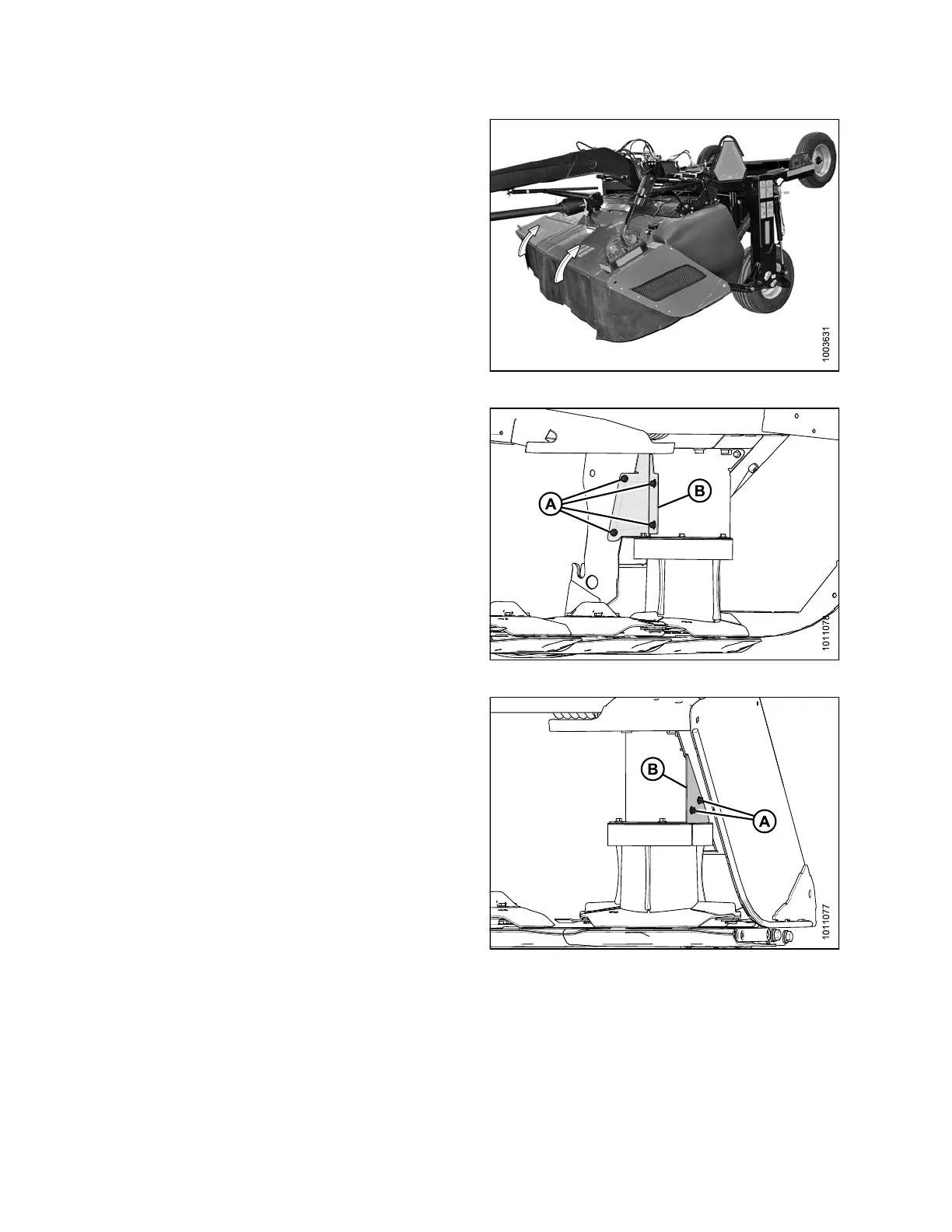
1. Open cutterbar doors. Refer to 3.3.1 Opening
Cutterbar Doors, page 36.
Figure 4.100: Cutterbar Doors
2. Remove four M10 hex flange head bolts (A) and
remove vertical drive shield (B).
Figure 4.101: Vertical Drive Shield
3. Remove two M10 hex flange head bolts (A) and
remove cover plate (B).
Figure 4.102: Cover Plate
147910 166 Revision A





 To Next Page