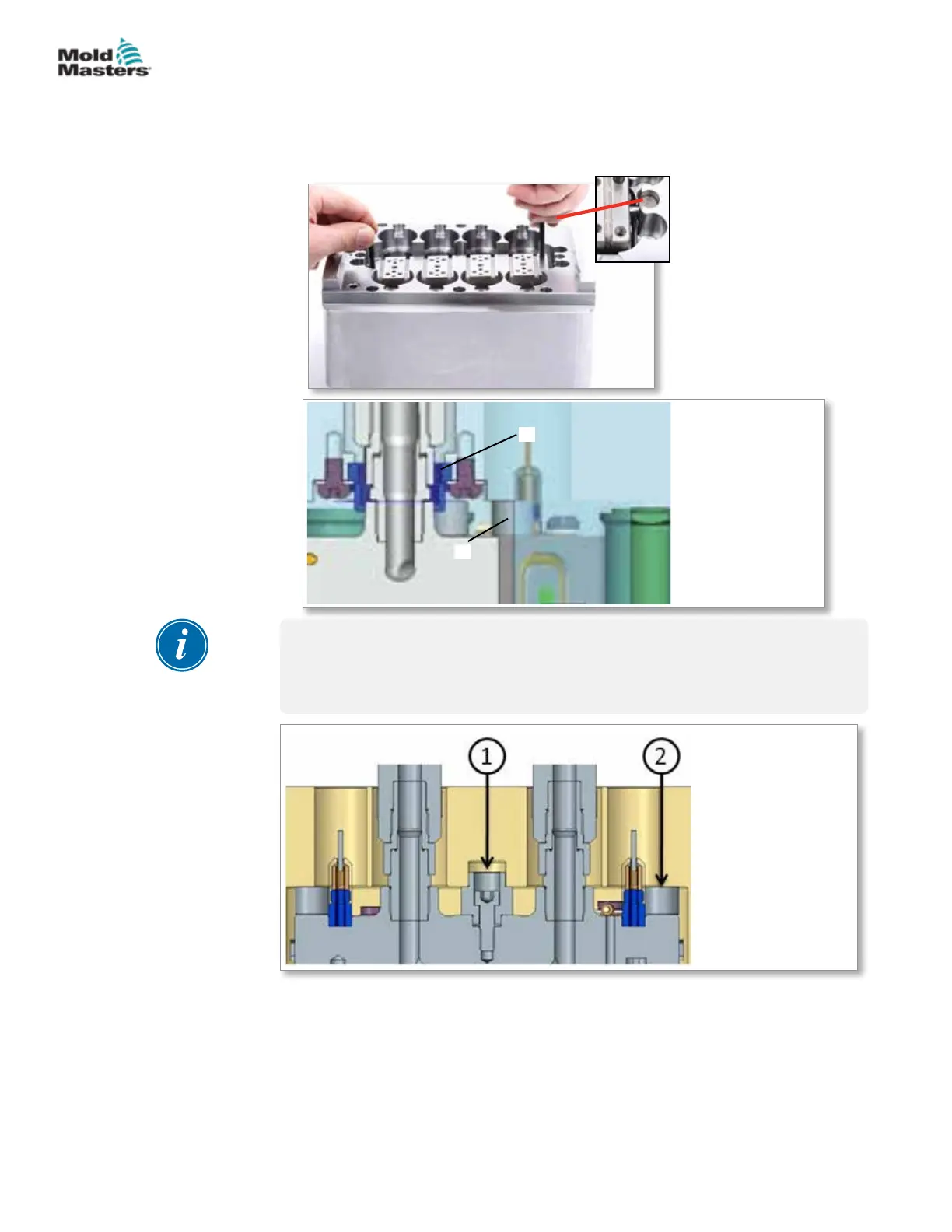
3. Insert Melt-CUBE into the cavity block. Align the anti-rotation dowels with
the slots in the cavity block, while also aligning the Melt-CUBE to the
Melt-CUBE
center locator and spacing supports.
1
2
1. Center locator
2. Spacing supports
NOTE
For the dual nozzle Melt-CUBE, the center locator is bolted onto the Melt-
CUBE. Insert the Melt-CUBE into the cavity block. Align the anti-rotation
dowels and Melt-CUBE center locator with the slots in the cavity block.
1. Center locator
(also acts as support)
2. Spacing supports
Melt-CUBE Design A Assembly - continued
19-10
© 2020 Mold-Masters (2007) Limited. All Rights Reserved.
MELT-CUBE SYSTEMS
Hot Runner User Manual


 To Next Page