Scan to E-Mail
4
VarioLink 2221/2821/3621 4-21
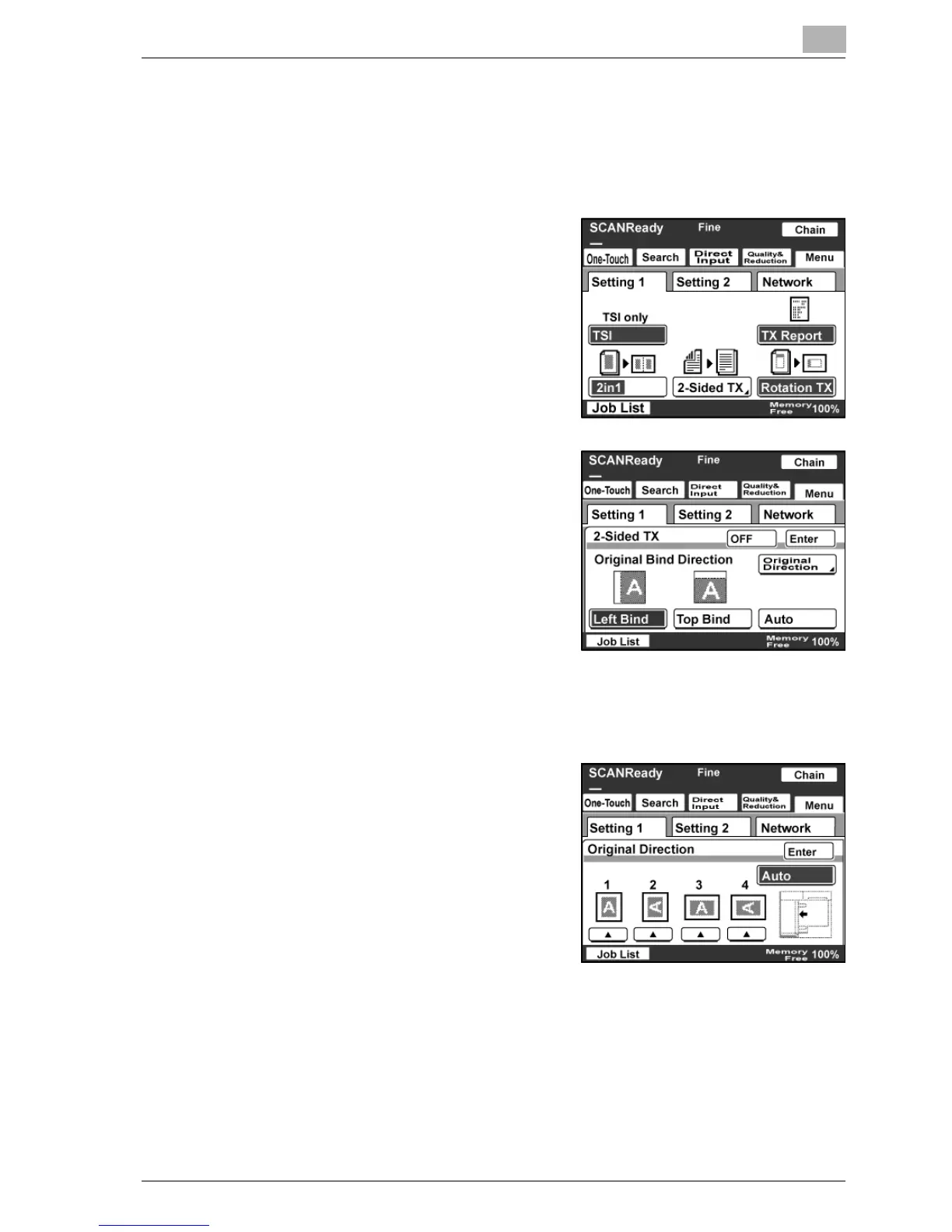
Specifying double-sided transmission
1 Touch [Menu].
– If the optional fax kit has been installed, touch [FAX Menu].
2 Touch [Setting 1], then [2-Sided TX].
– If the optional fax kit has been
installed, touch [Set 1], then [2-
Sided TX].
3 Select the desired binding margin
position.
– Left Bind: The document is
scanned with a binding margin on
the left side.
– Top Bind: The document is
scanned with a binding margin at
the top.
– Auto: The binding margin is set
according to the scanning direction.
4 Touch [Original Direction].
5 Select the orientation of the
document, and then touch [Enter].
– Auto: The long side of the
document is automatically set as
the binding position.
6 Touch [Enter].
– Touch [OFF] to cancel the settings.



 To Next Page