Scan to SMB
6
VarioLink 2221/2821/3621 6-31
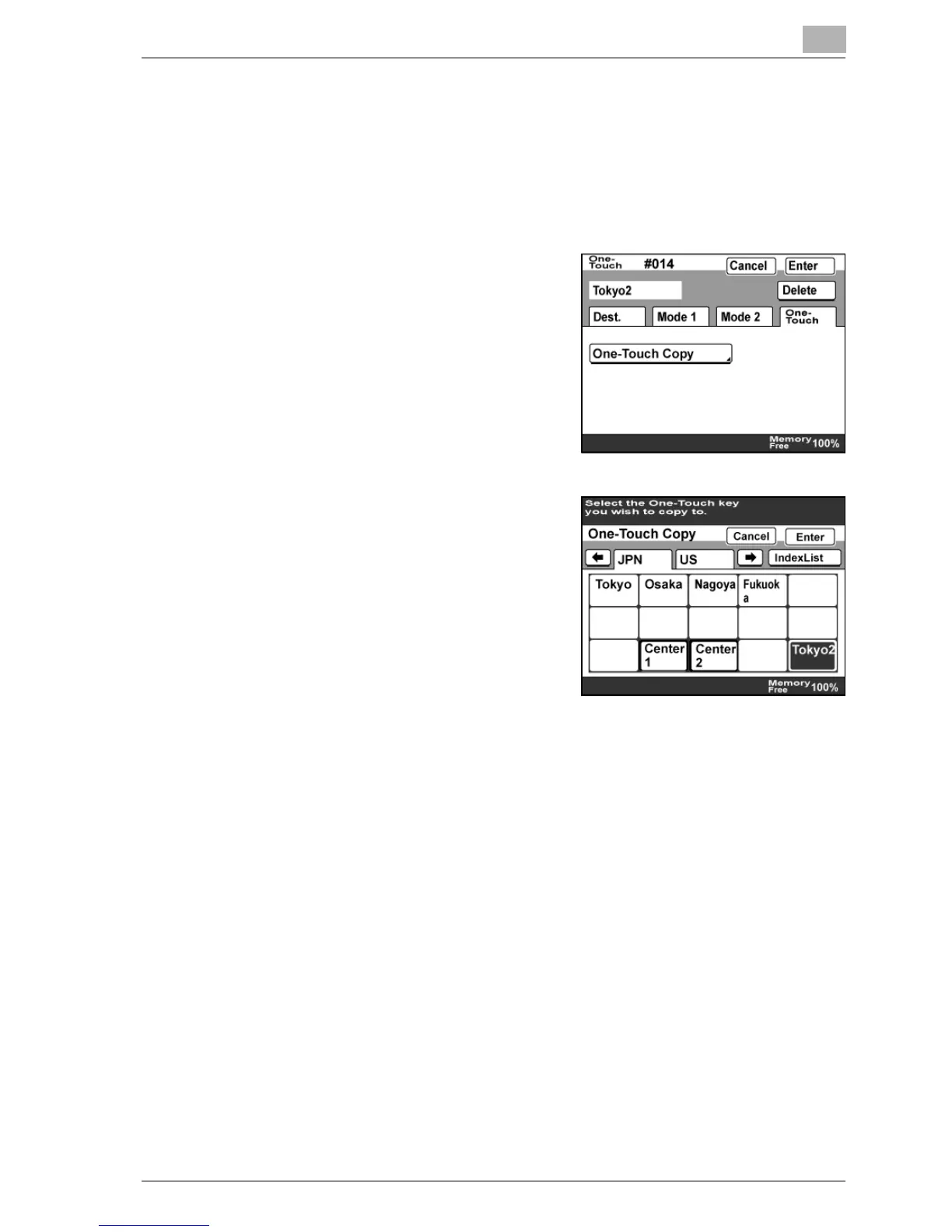
Copying a one-touch dial button
1 Perform steps 1 through 4 of the procedure in "To program a one-
touch dial button".
2 Touch the one-touch dial button to be copied.
3 Touch [One-Touch], then [One-
Touch Copy].
4 Touch the one-touch dial button
where the information is copied to.
– Select a one-touch dial button
that has not yet been
programmed.
– To deselect the one-touch dial
button where the information is to
be copied to, touch the selected
one-touch dial button again.
5 Touch [Enter] until the initial screen appears.



 To Next Page