5
Scan to FTP
5-20 VarioLink 2221/2821/3621
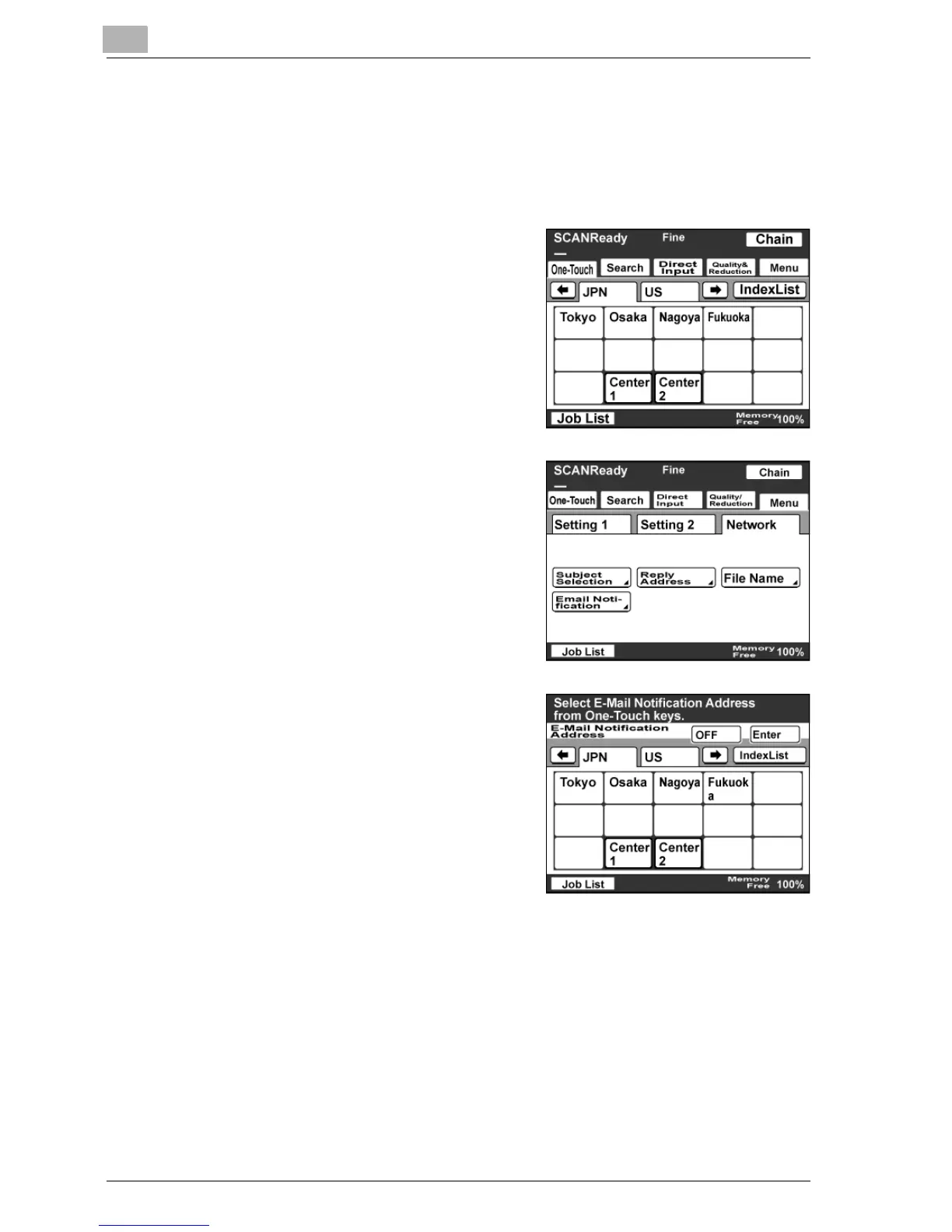
Specifying the e-mail notification destination
When the transmission of the data is complete, an message can be sent to
the destination specified in the URL of the uploaded destination.
1 Touch [Menu].
– If the optional fax kit has been
installed, touch [FAX Menu].
2 Touch [Network], then [Email
Notification].
– If the optional fax kit has been
installed, touch [Net.], then [Email
Notification].
3 Select the destination address, and
then touch [Enter].
– Touch [OFF] to cancel the
setting.



 To Next Page