10
Specifying management settings
10-26 VarioLink 2221/2821/3621
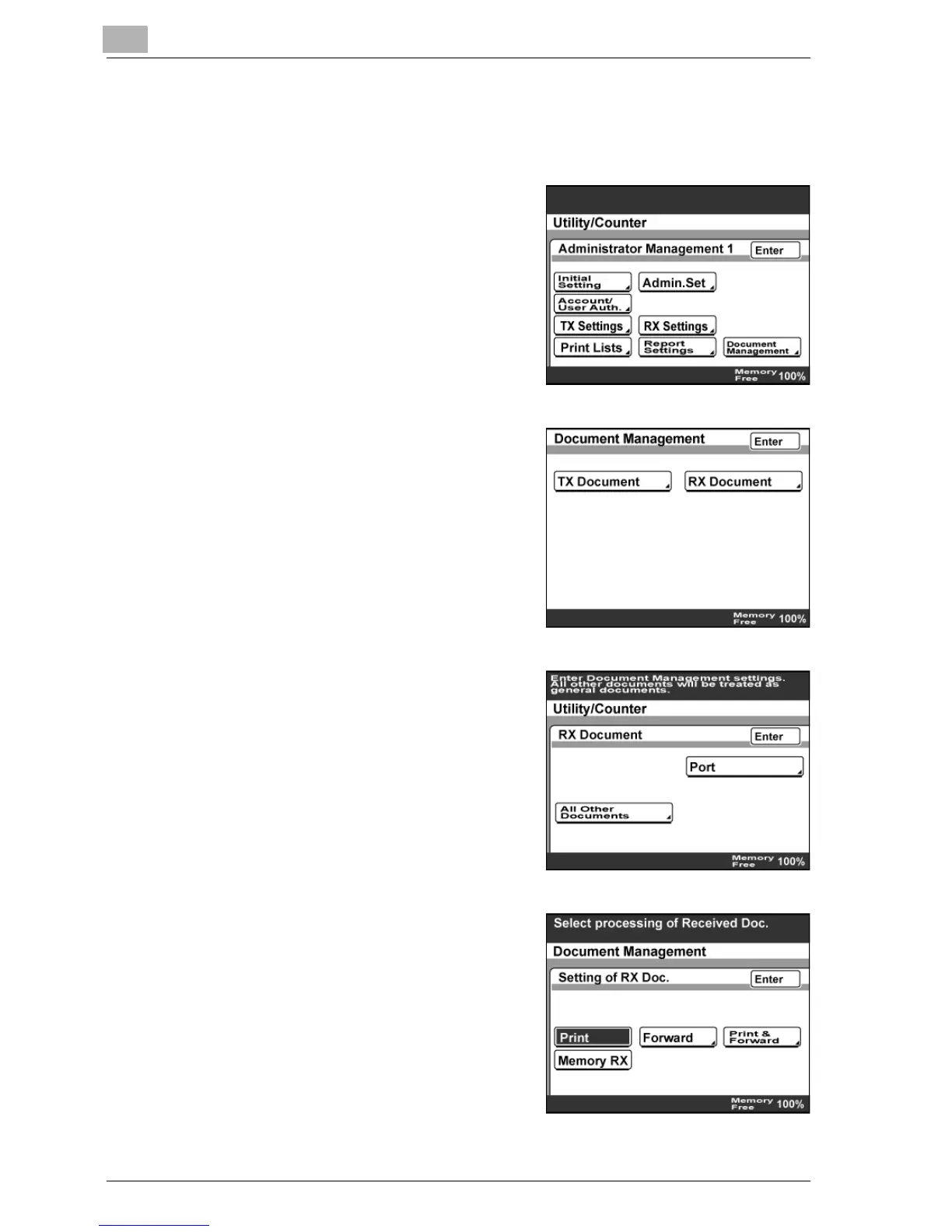
To specify the processing of received documents
1 Enter Administrator mode, and then touch [Admin. 1].
2 Touch [Document Management].
3 Touch [RX Document].
4 Touch [All Other Documents].
5 Specify the processing method for
received documents.
– Touch [RX Doc. Settings], select
the processing method, and then
touch [Enter].



 To Next Page