6
Scan to SMB
6-22 VarioLink 2221/2821/3621
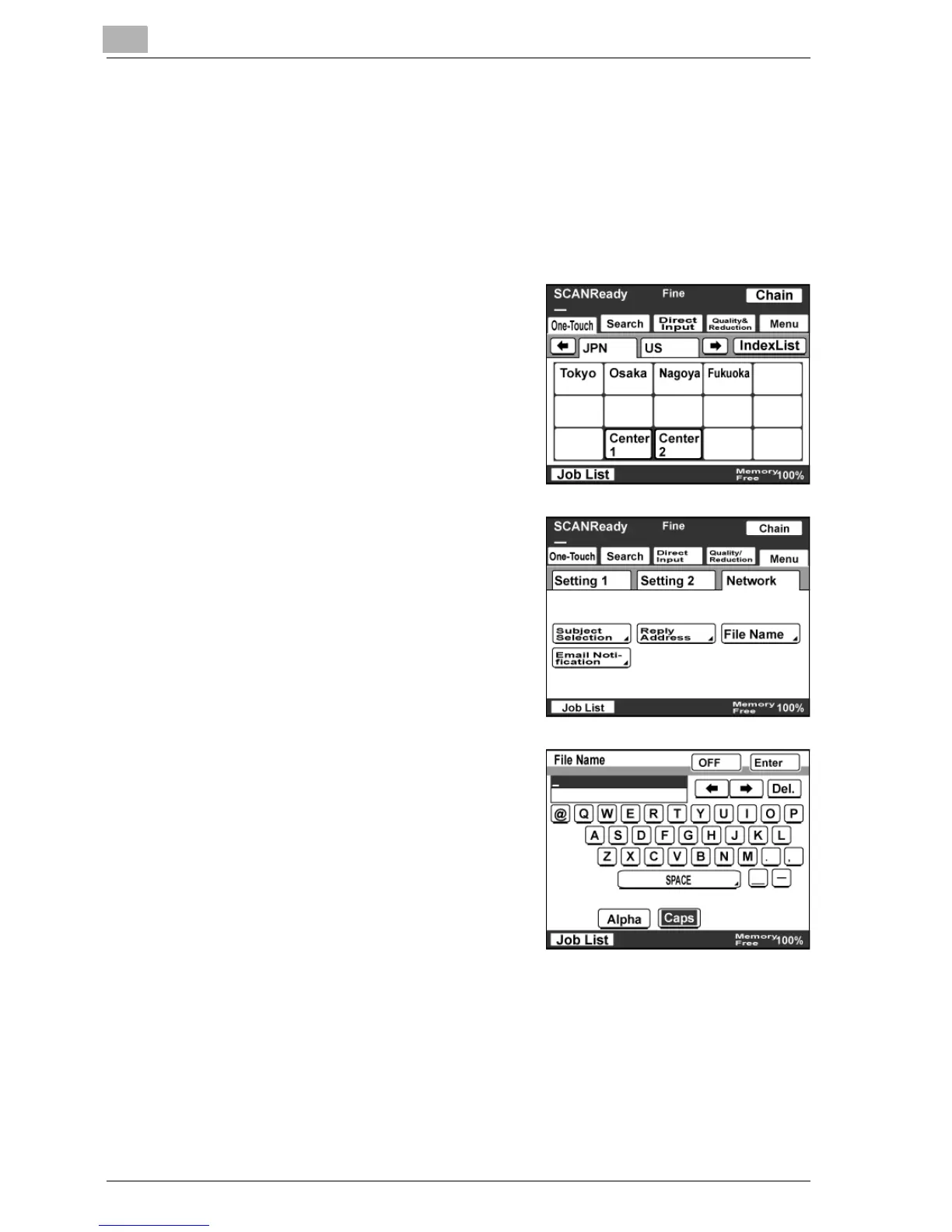
Specifying a file name
You can specify the file name of the image data to be sent. Up to 16
characters can be entered.
When no file name is specified, the file is automatically sent with a name in
the following format: <machine_name><scan_date_and_time>.<extension>.
1 Touch [Menu].
– If the optional fax kit has been
installed, touch [FAX Menu].
2 Touch [Network], then [File Name].
– If the optional fax kit has been
installed, touch [Net.], then [File
Name].
3 Type in the file name, and then touch
[Enter].
– Touch [OFF] to cancel the
setting.
– It is not necessary to type in an
extension.



 To Next Page