Setup
3
VarioLink 2221/2821/3621 3-55
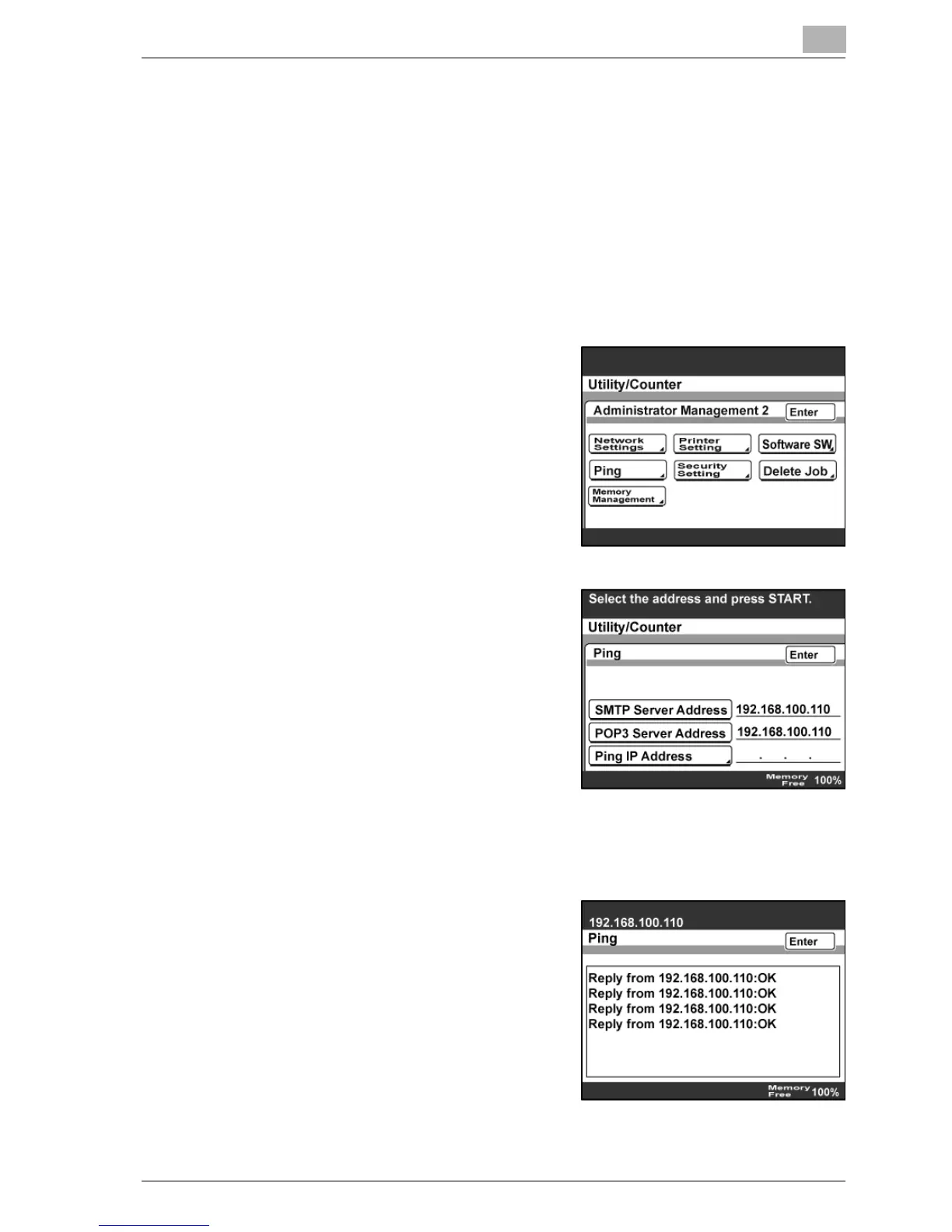
3.15 Checking the network connection (Ping)
By sending a ping, you can check whether the network (LAN) is properly
connected.
The connection to an SMTP server, POP3 server, or any server (with a
specified IP address) can be checked.
To check the network connection
1 Enter Administrator mode, and then touch [Admin. 2].
2 Touch [Ping].
3 Select the connected server.
– If [Ping IP Address] is selected,
enter the IP address of the
appropriate server.
4 Press the [Start] key.
Pinging is performed.
5 Check the results, and then touch
[Enter].



 To Next Page