10
Specifying management settings
10-14 VarioLink 2221/2821/3621
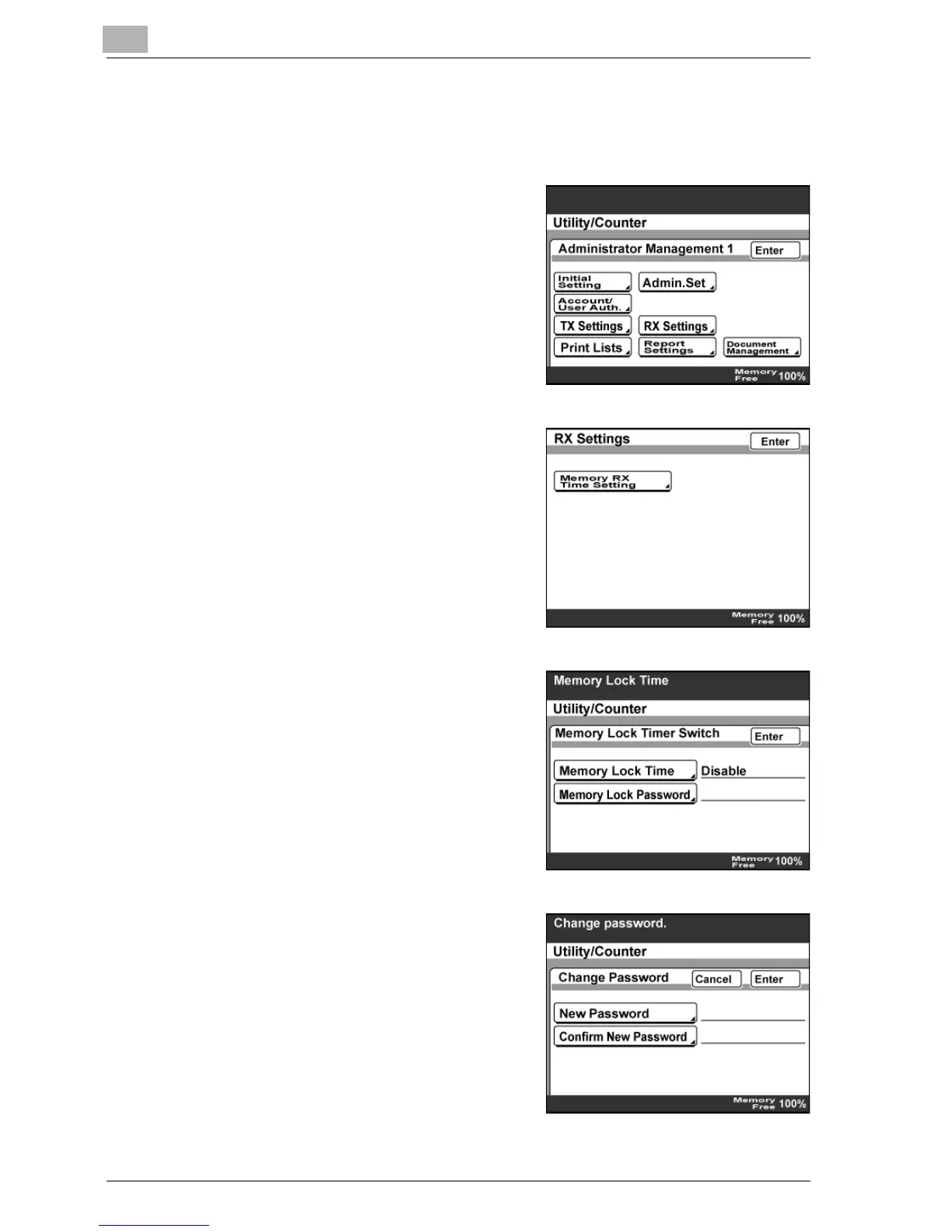
To specify the Memory Lock Password setting
1 Log on to the administrator mode, and then touch [Admin. 1].
2 Touch [RX Settings].
3 Touch [Memory RX Time Setting].
4 Touch [Memory Lock Password].
5 Touch [New Password], type in the
password, and then touch [Enter].
– Type in a four-digit password
using the keypad.
– To erase the entered text, press
the [C] (clear) key.



 To Next Page