Scan to E-Mail
4
VarioLink 2221/2821/3621 4-27
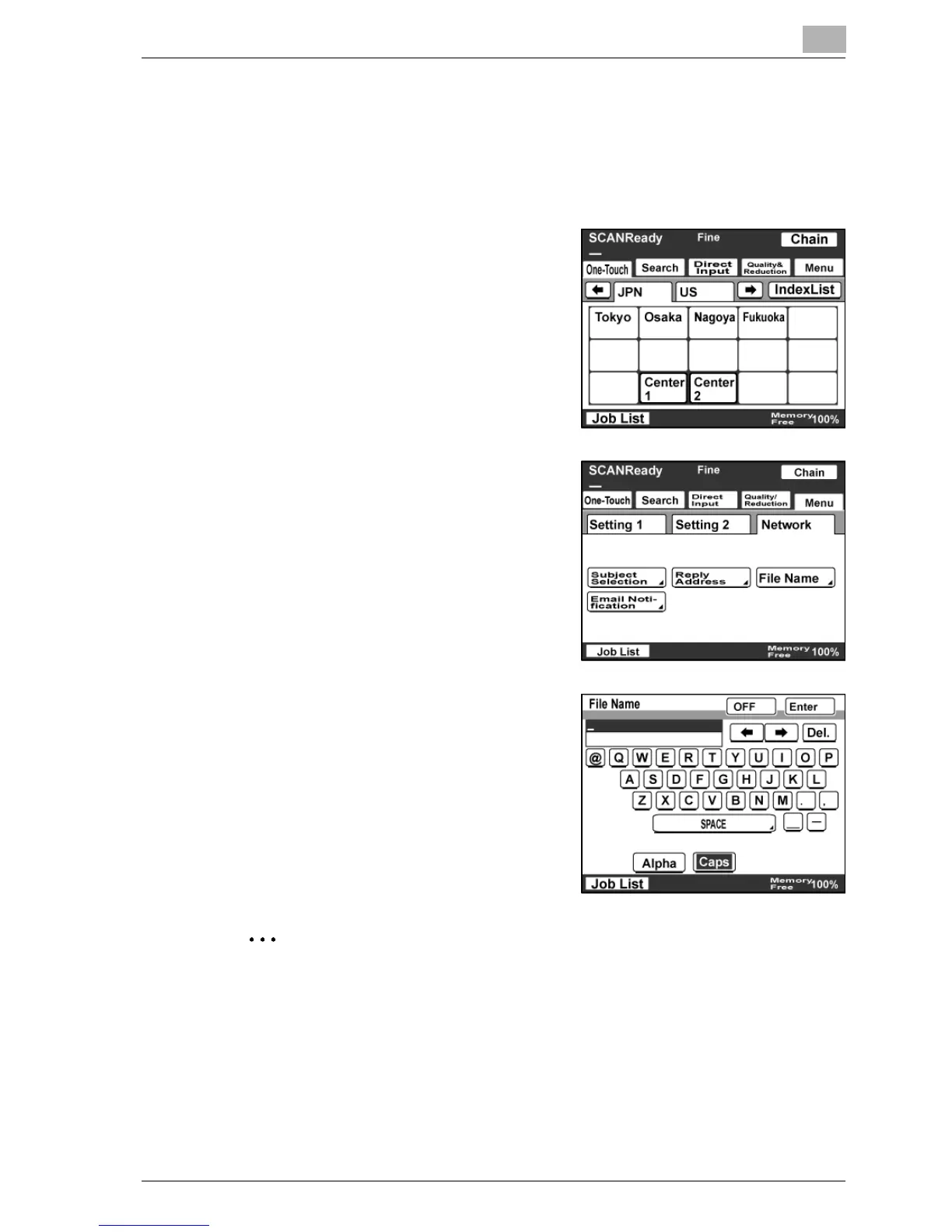
Specifying a file name
You can specify the file name of the image data to be attached in an e-mail.
Up to 16 characters can be entered.
1 Touch [Menu].
– If the optional fax kit has been
installed, touch [FAX Menu].
2 Touch [Network], then [File Name].
– If the optional fax kit has been
installed, touch [Net.], then [File
Name].
3 Type in the file name, and then touch
[Enter].
– Touch [OFF] to cancel the
setting.
– It is not necessary to type in an
extension.
Note
When no file name is specified, the file is automatically sent with a name
in the following format:
<machine_name><scan_date_and_time>.<extension>.



 To Next Page