3
Setup
3-16 VarioLink 2221/2821/3621
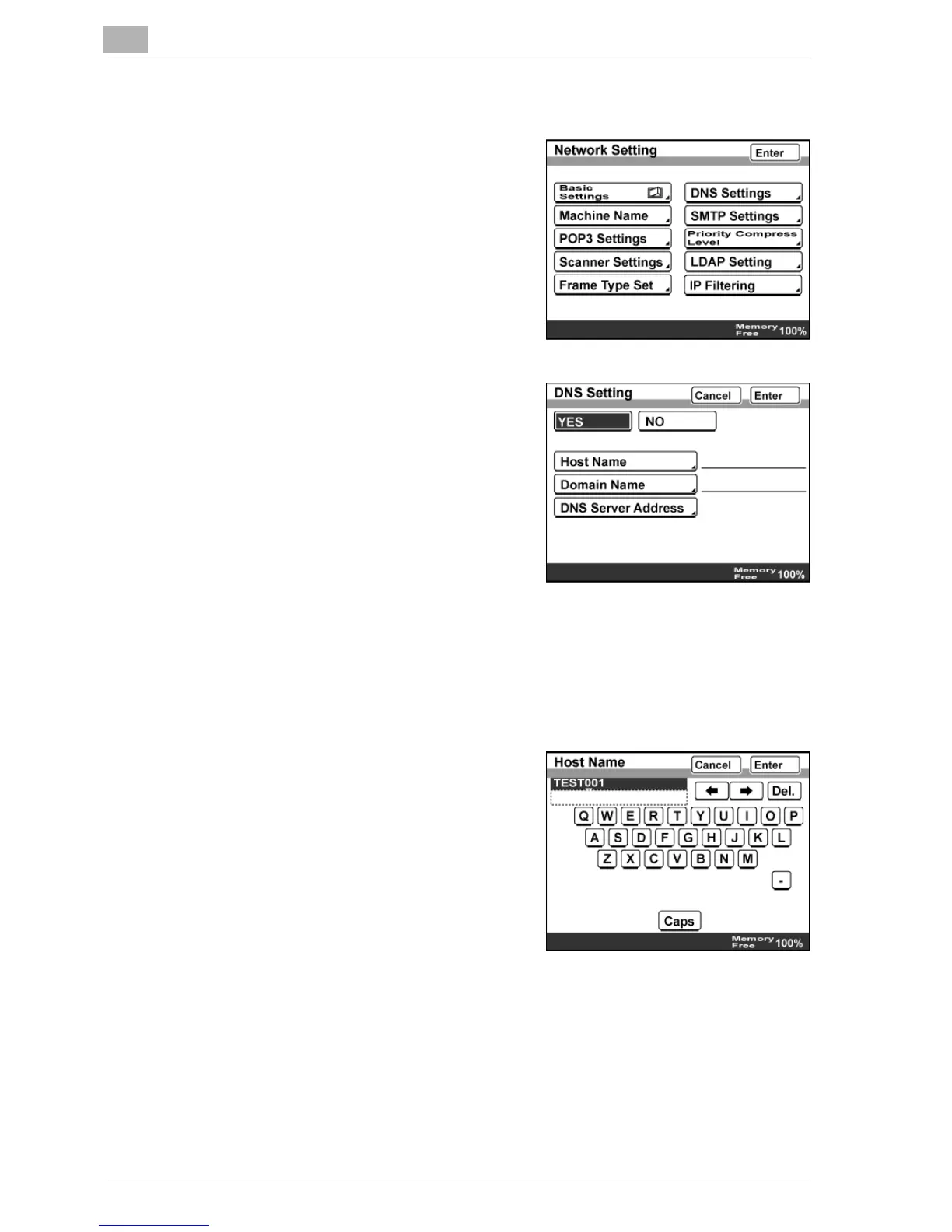
DNS Setting
1 In the Network Setting screen, touch
[DNS Settings].
2 To use the DNS server, touch [YES].
If the DNS server is not to be used,
touch [NO].
– If "YES" is selected, specify
settings for "Host Name",
"Domain Name", and "DNS
Server Address".
3 Touch [Enter].
Host Name
1 In the DNS Setting screen, touch [Host Name].
2 Type in the host name of this
machine, and then touch [Enter].



 To Next Page