9
Specifying settings using Web Connection
9-66 VarioLink 2221/2821/3621
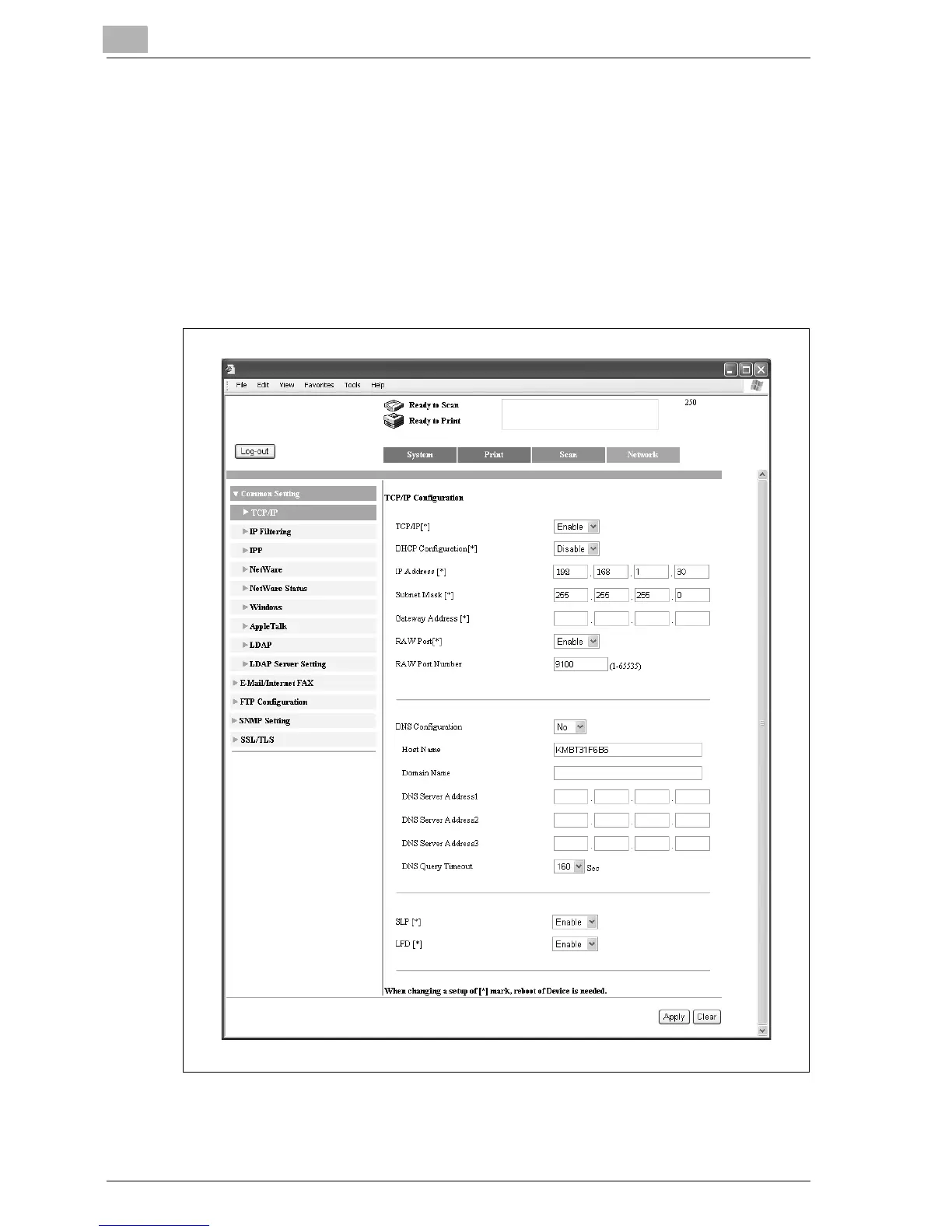
Specifying the TCP/IP settings
1 In the Administrator mode, click the Network tab.
– For the procedure to log on to Administrator mode, refer to
"Logging on to Administrator mode" on page 9-11.
2 Click [Common Setting], then [TCP/IP].
3 Specify a setting for each parameter, and then click [Apply].



 To Next Page