Setup
3
VarioLink 2221/2821/3621 3-17
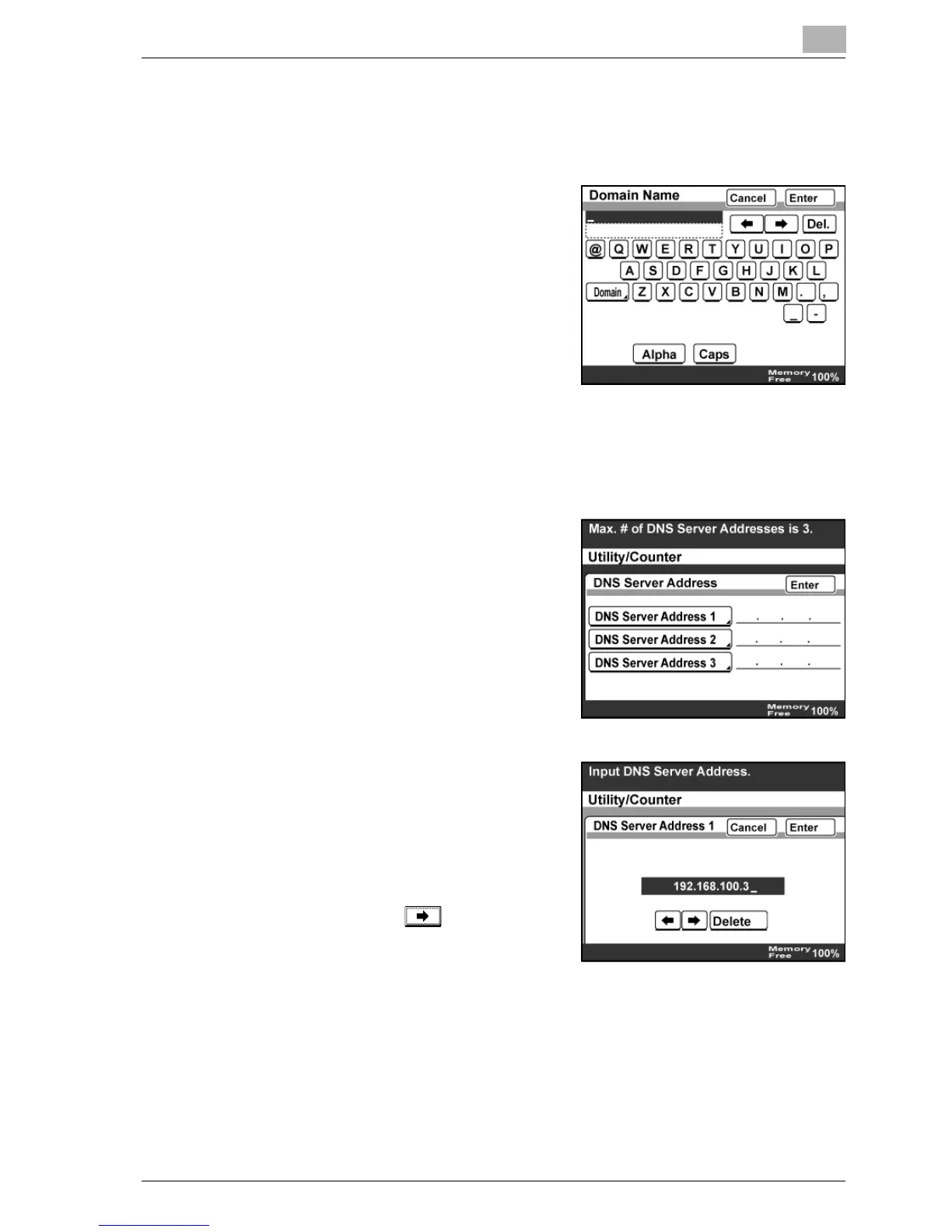
Domain Name
1 In the DNS Setting screen, touch [Domain Name].
2 Type in the domain name of the DNS
server, and then touch [Enter].
DNS Server Address
1 In the DNS Setting screen, touch [DNS Server Address].
2 Touch [DNS Server Address 1].
3 Type in the IP address of DNS server
1, and then touch [Enter].
– You cannot specify an IP address
that begins with 0, 127, or 224 or
higher.
– When less than three digits are
entered, use to move the
cursor to the next number.
4 When specifying multiple DNS servers, type in the IP addresses for
DNS server 2 and DNS server 3.
5 Touch [Enter].



 To Next Page