Specifying management settings
10
VarioLink 2221/2821/3621 10-61
10.9 Specifying SSL/TLS settings
The SSL/TLS settings should be specified. When SSL/TLS is enabled, the
communication between the machine and the client PC is encrypted to
prevent leakage of information such as passwords.
Acquire SSL/TLS certificates in Web Connection. For details, refer to
"SSL/TLS (Administrator mode)" on page 9-87.
To specify SSL/TLS settings
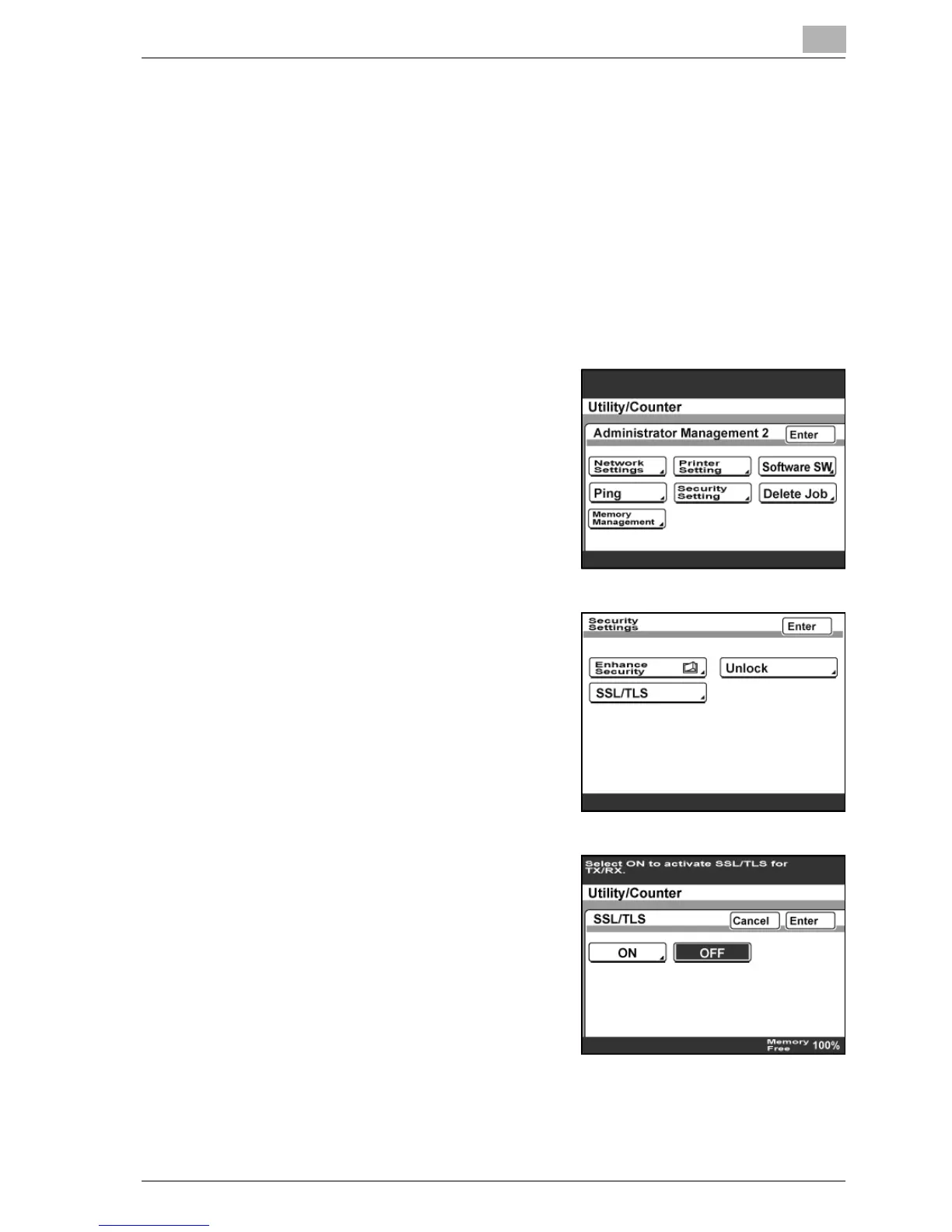
1 Enter Administrator mode, and then touch [Admin. 2].
2 Touch [Security Setting].
3 Touch [SSL/TLS].
4 Specify whether to use SSL/TLS,
and then touch [Enter].
– If "Enhance Security" is set to
"ON", "SSL/TLS" cannot be set
to "OFF".
5 Touch [Enter] until the Initial screen appears.



 To Next Page