4
Scan to E-Mail
4-4 VarioLink 2221/2821/3621
Specifying a destination by touching a one-touch dial button
1 Position the document to be scanned.
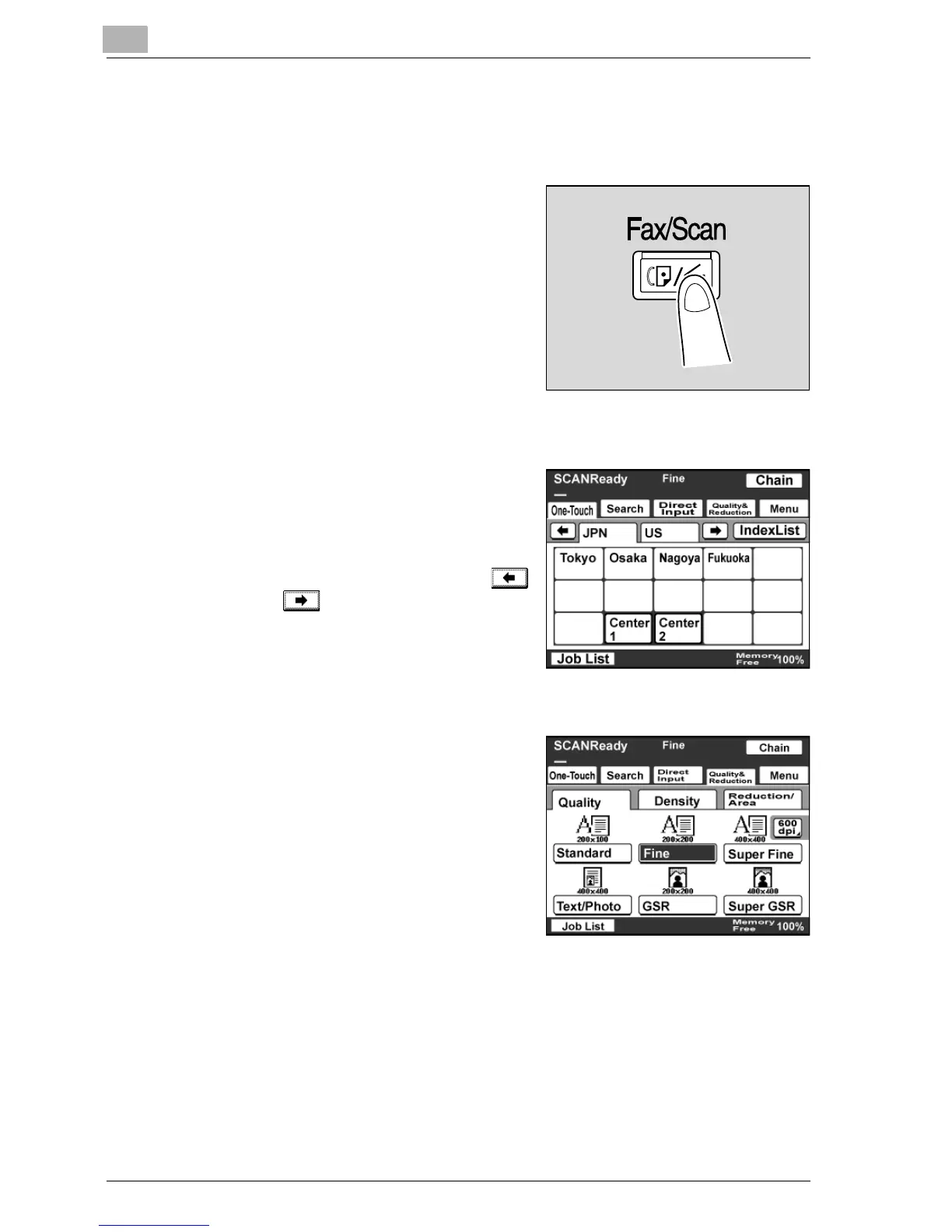
2 Press the [Fax/Scan] button.
– After pressing [Fax/Scan], you
can specify Priority Screen
settings in the User’s Choice
screen that appears. For details,
refer to the User manual [Copy
Operations].
3 Touch [One-Touch].
4 Select the index containing the
desired destination, and then touch
the one-touch dial button.
– To select an index, touch the
corresponding tab, or touch
or to select a different one.
– You can specify multiple
destinations for one transmission
with the same one-touch dial
button. Up to 300 destinations can be specified at a time.
5 Specify the Quality & Reduction
setting for the original document to
be sent.
– For details, refer to "Specifying
the scanning quality and zoom
ratio" on page 4-14.



 To Next Page