Setup
3
VarioLink 2221/2821/3621 3-7
To specify initial network settings
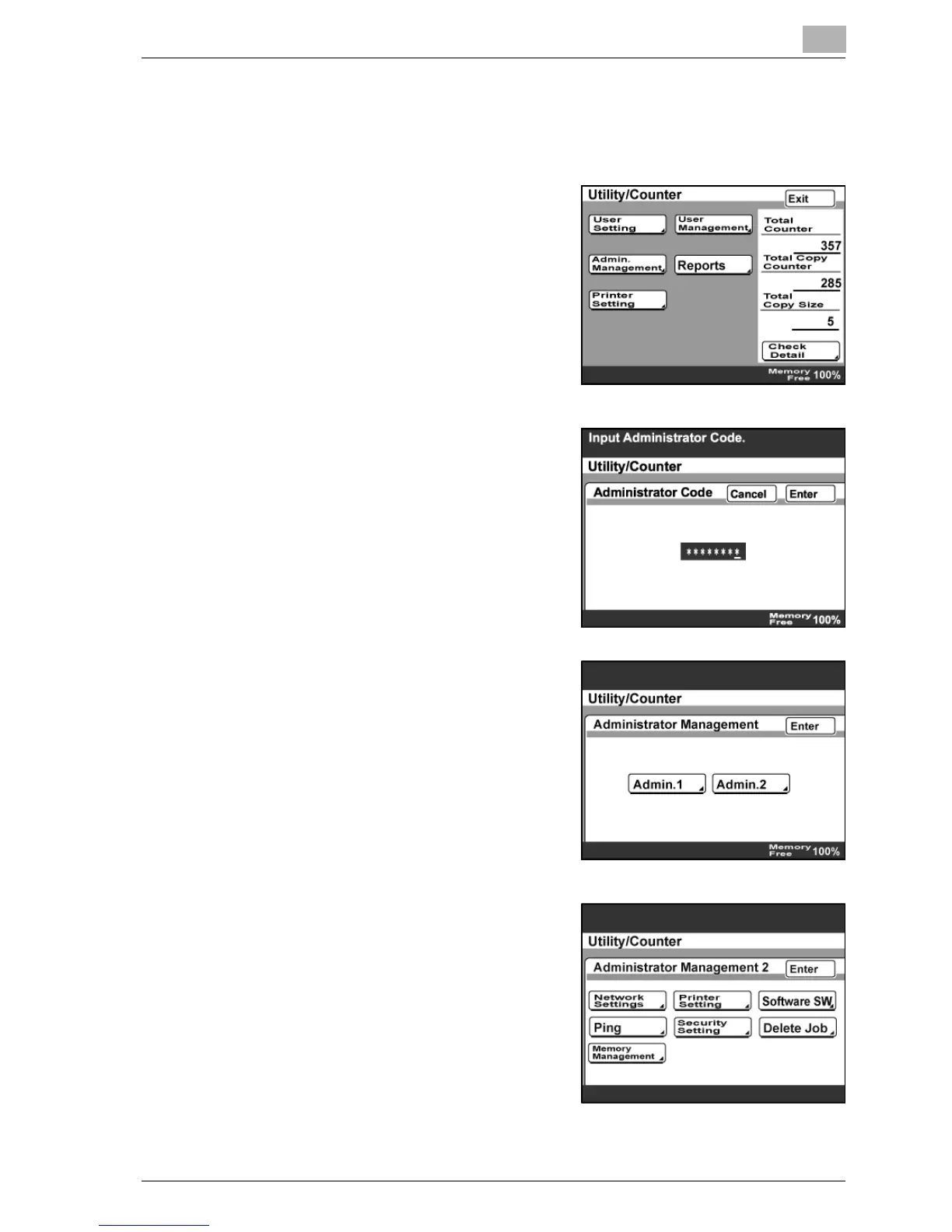
1 Press the [Utility/Counter] key.
2 Touch [Admin. Management].
3 Type in the administrator password
using the keypad, and then touch
[Enter].
– "12345678" is registered at the
factory.
– To change the administrator
password, refer to the User
manual [Copy Operations].
4 Touch [Admin. 2].
5 Touch [Network Settings].



 To Next Page