3
Setup
3-8 VarioLink 2221/2821/3621
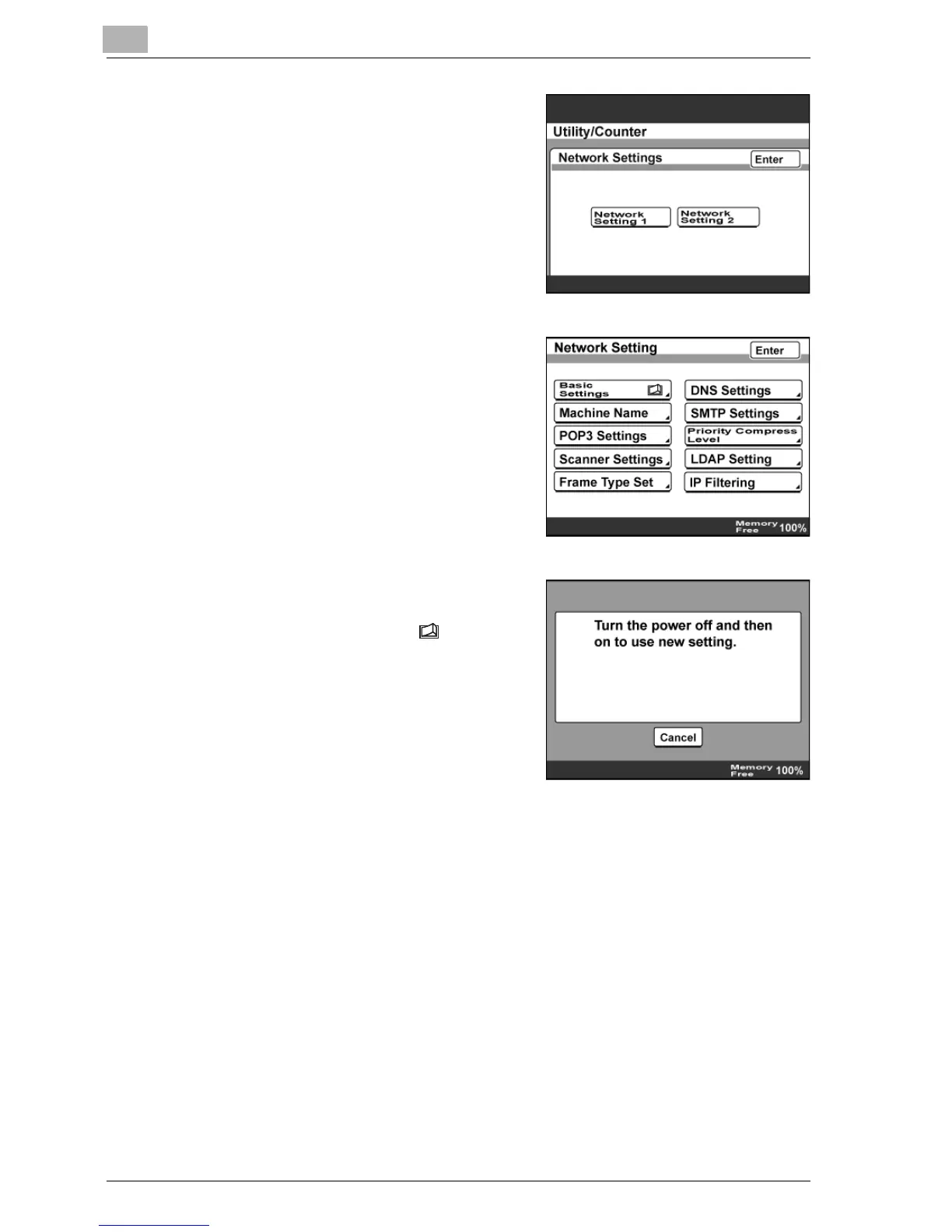
6 If the optional scanner unit or fax kit
has been installed, touch [Network
Setting 1].
7 Specify each network setting, and
then touch [Enter].
8 To apply the settings specified on a
screen that is displayed by touching
a button marked with , turn the
machine off, then on again.
– When turning the machine off,
then on again with the main
power switch, wait about 10
seconds to turn the machine on
after turning it off.
The machine may not operate correctly if it is turned on immediately
after being turned off.
9 Touch [Enter] until the first screen appears.



 To Next Page