Scan to E-Mail
4
VarioLink 2221/2821/3621 4-25
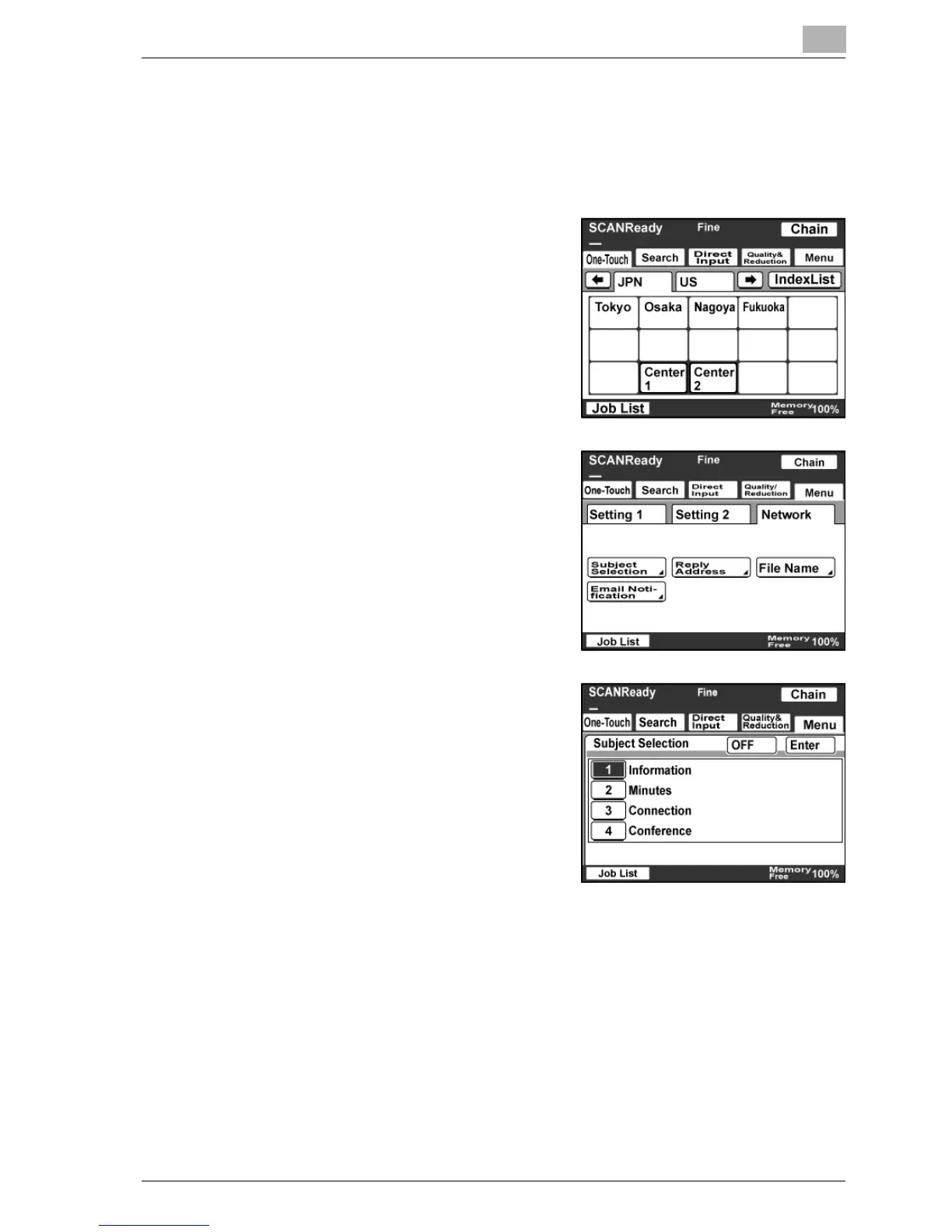
Changing the subject
The subject line of an e-mail message can be selected from subject lines
registered in advance. To specify settings, refer to the Scanner Settings
screen, displayed from the Administrator Management screen on page 3-35.
1 Touch [Menu].
– If the optional fax kit has been
installed, touch [FAX Menu].
2 Touch [Network], then [Subject
Selection].
– If the optional fax kit has been
installed, touch [Net.], then
[Subject Selection].
3 Select a subject, and then touch
[Enter].
– Touch [OFF] to cancel the
settings.
Detail
If no subject has been registered, the e-mail message is sent with the
subject line “[Image File] <one-touch_name>, <machine_name>,
<number>”.



 To Next Page