Internet faxing
7
VarioLink 2221/2821/3621 7-27
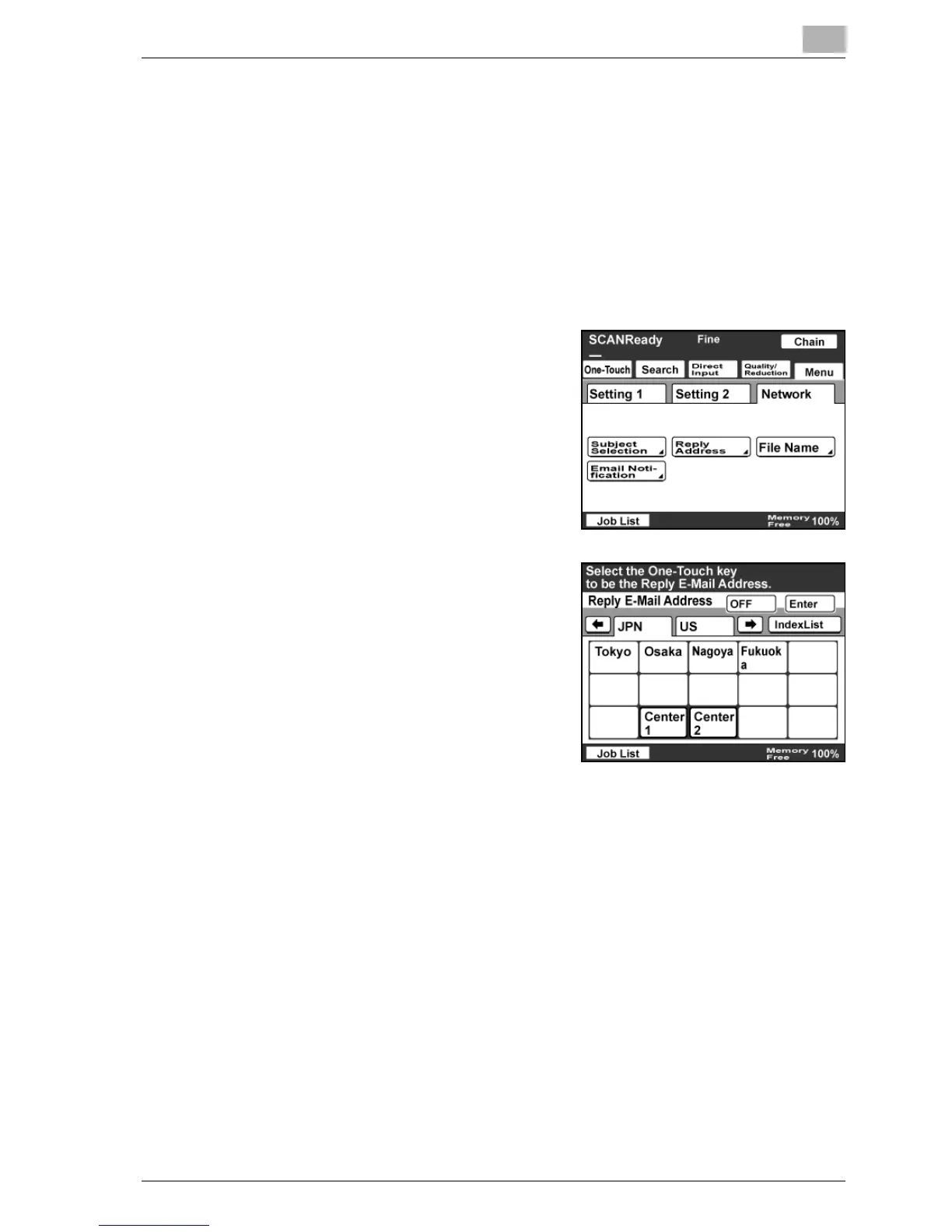
Specifying a reply address
From the e-mail addresses registered with a one-touch dial button, you can
specify the return e-mail address displayed to the recipient.
0 The reply address is printed by the receiving machine when "Yes" is
specified in the RX Doc. Header Print screen.
1 Touch [Menu].
– If the optional fax kit has been installed, touch [FAX Menu].
2 Touch [Network], then [Reply
Address].
– If the optional fax kit has been
installed, touch [Net.], then [Reply
Address].
3 Select a return address, and then
touch [Enter].
– Touch [OFF] to cancel the
setting.



 To Next Page