10
Specifying management settings
10-30 VarioLink 2221/2821/3621
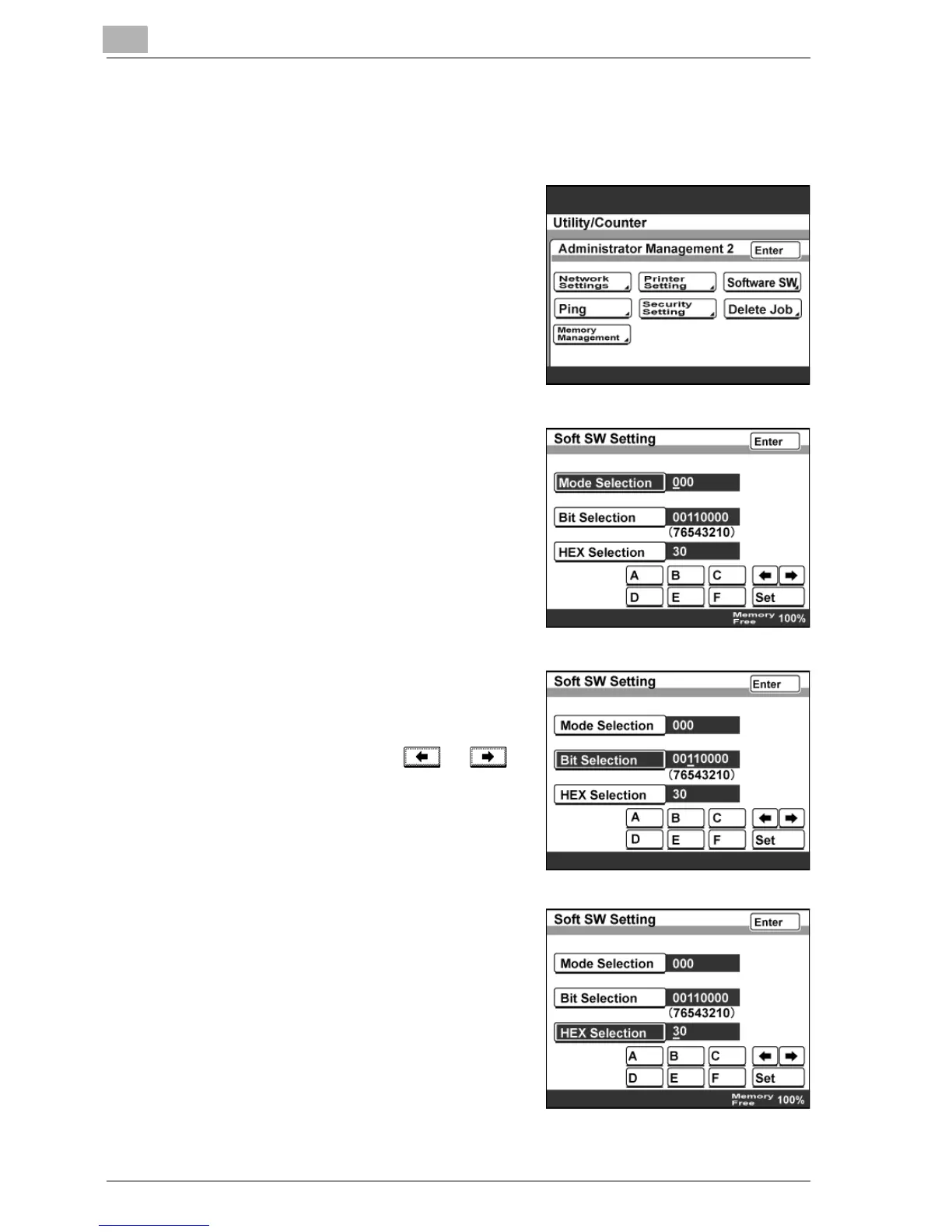
To specify a software switch setting
1 Enter Administrator mode, and then touch [Admin. 2].
2 Touch [Software SW].
3 Touch [Mode Selection], and then
type in the mode number using the
keypad.
4 Specify the mode setting using either
bit selection or HEX selection.
– To specify in bit values, touch [Bit
Selection], touch or to
move the cursor to the bit to be
changed, type in the value using
the keypad, and then touch
[Enter].
– To specify in hexadecimal values,
touch [HEX Selection], specify
the value by using the keypad
and touching [A]—[F], and then
touch [Enter].



 To Next Page