5
Scan to FTP
5-18 VarioLink 2221/2821/3621
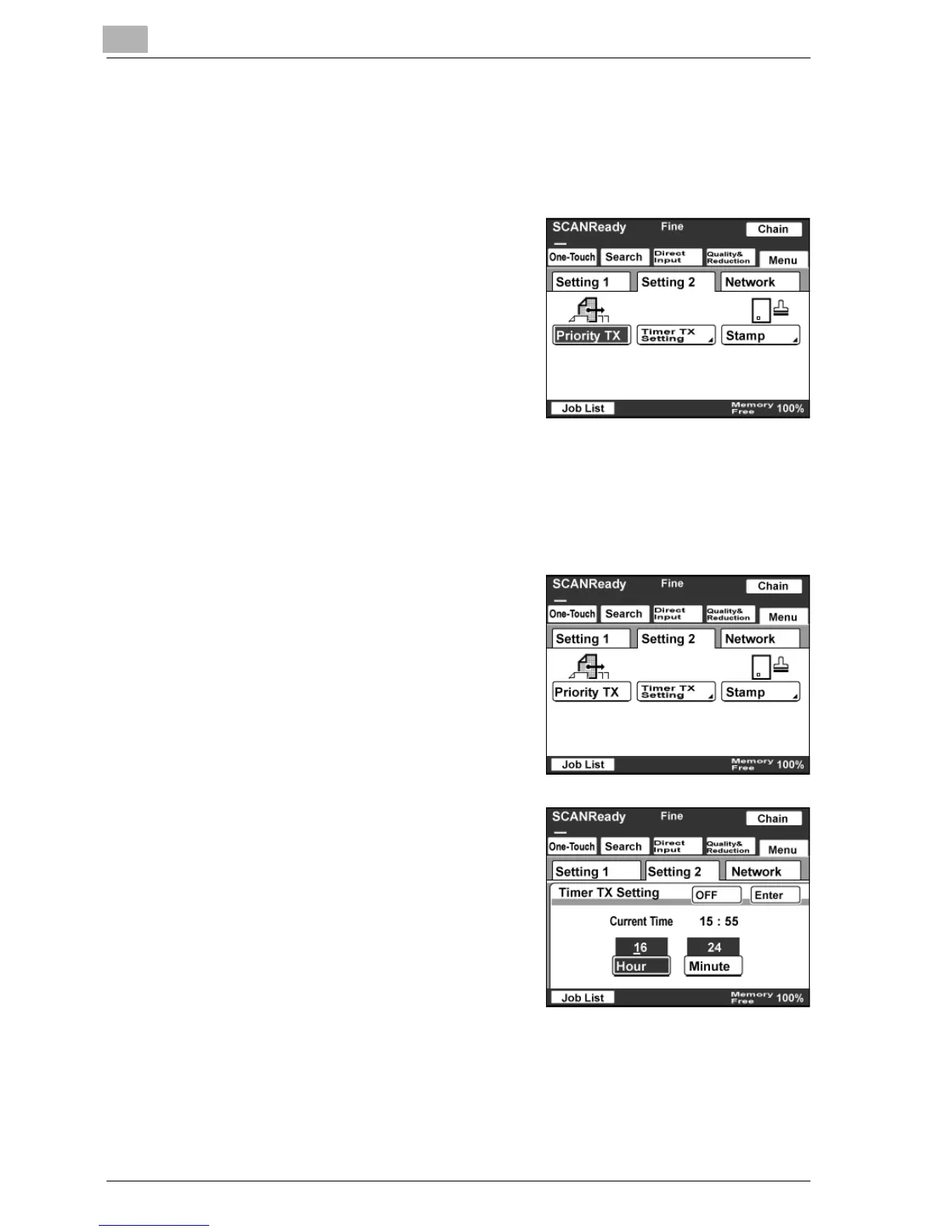
Specifying priority transmission
1 Touch [Menu].
– If the optional fax kit has been installed, touch [FAX Menu].
2 Touch [Setting 2], then [Priority TX].
– If the optional fax kit has been
installed, touch [Set 2], then
[Priority TX].
– Touch the button again to cancel
the setting.
The button is highlighted.
Specifying timer transmission
1 Touch [Menu].
– If the optional fax kit has been installed, touch [FAX Menu].
2 Touch [Setting 2], then [Timer TX
Setting].
– If the optional fax kit has been
installed, touch [Set 2], then
[Timer TX Setting].
3 Enter the time for transmission.
– Touch [Hour] and [Minute], and
then type in the desired value
using the keypad.
4 Touch [Enter].
– Touch [OFF] to cancel the settings.



 To Next Page