Specifying settings using Web Connection
9
VarioLink 2221/2821/3621 9-9
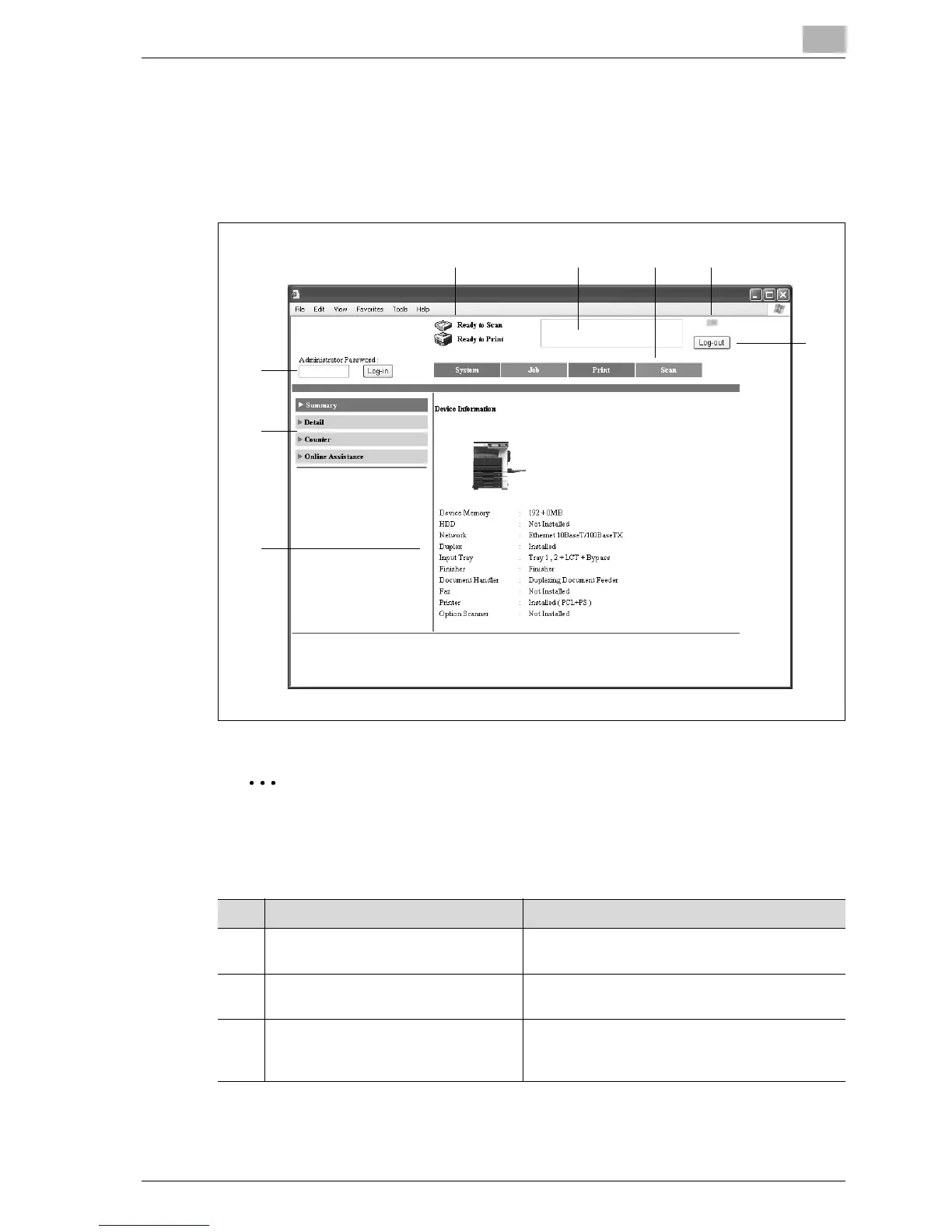
Page structure
The page that appears immediately after Web Connection is accessed is
called the User mode page. All users can view this page.
The configuration of the Web Connection page is shown below.
Note
To reset the status display and message display, click [Refresh] in the
Web browser.
No. Item Description
1 Administrator mode logon button Click the button to log on to Administrator
mode.
2 Status display The statuses of this machine’s printer section
and scanner section are displayed using icons.
3 Message display If an error occurred in the machine, the status of
the malfunction/error and other error informa-
tion are displayed.



 To Next Page