Scan to E-Mail
4
VarioLink 2221/2821/3621 4-33
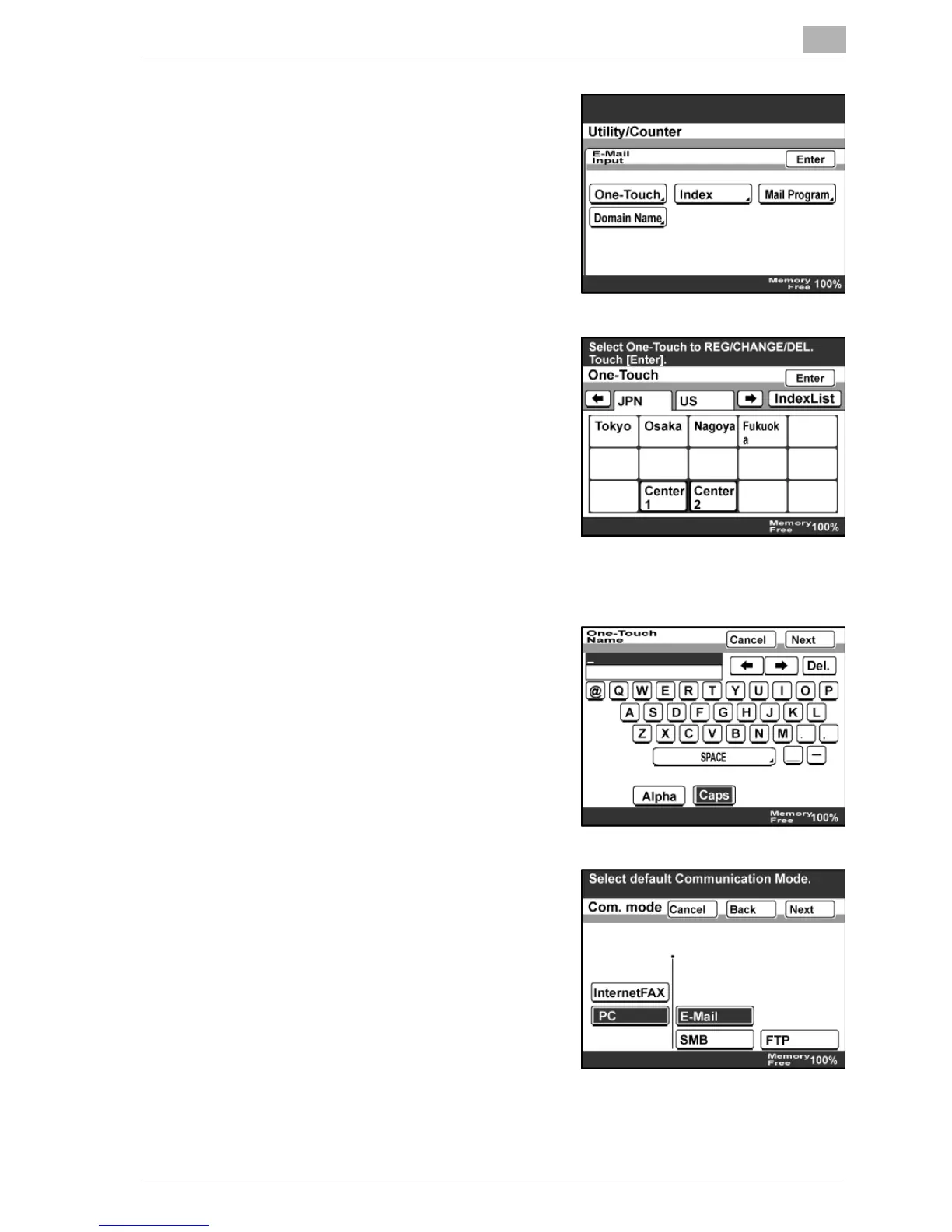
4 Touch [One-Touch].
5 Touch the one-touch dial button to
be programmed.
– Touch an index tab or [Index List],
then the desired one-touch dial
button.
– If the machine is set to allow
LDAP searches, a screen
appears, allowing you to permit
or prohibit the address registered
with the one-touch dial button to be found with an LDAP search. If
LDAP searches are not to be allowed, select "No".
6 Type in the destination name that will
appear on the one-touch dial button,
and then touch [Next].
7 Select the communication mode.
Touch [PC], [E-Mail], then [Next].
– If mode 476 of the software
switch settings was changed,
only communication modes that
can be selected appear. For
details, refer to "Specifying
software switch settings
(machine functions)" on
page 10-28.



 To Next Page