Internet faxing
7
VarioLink 2221/2821/3621 7-11
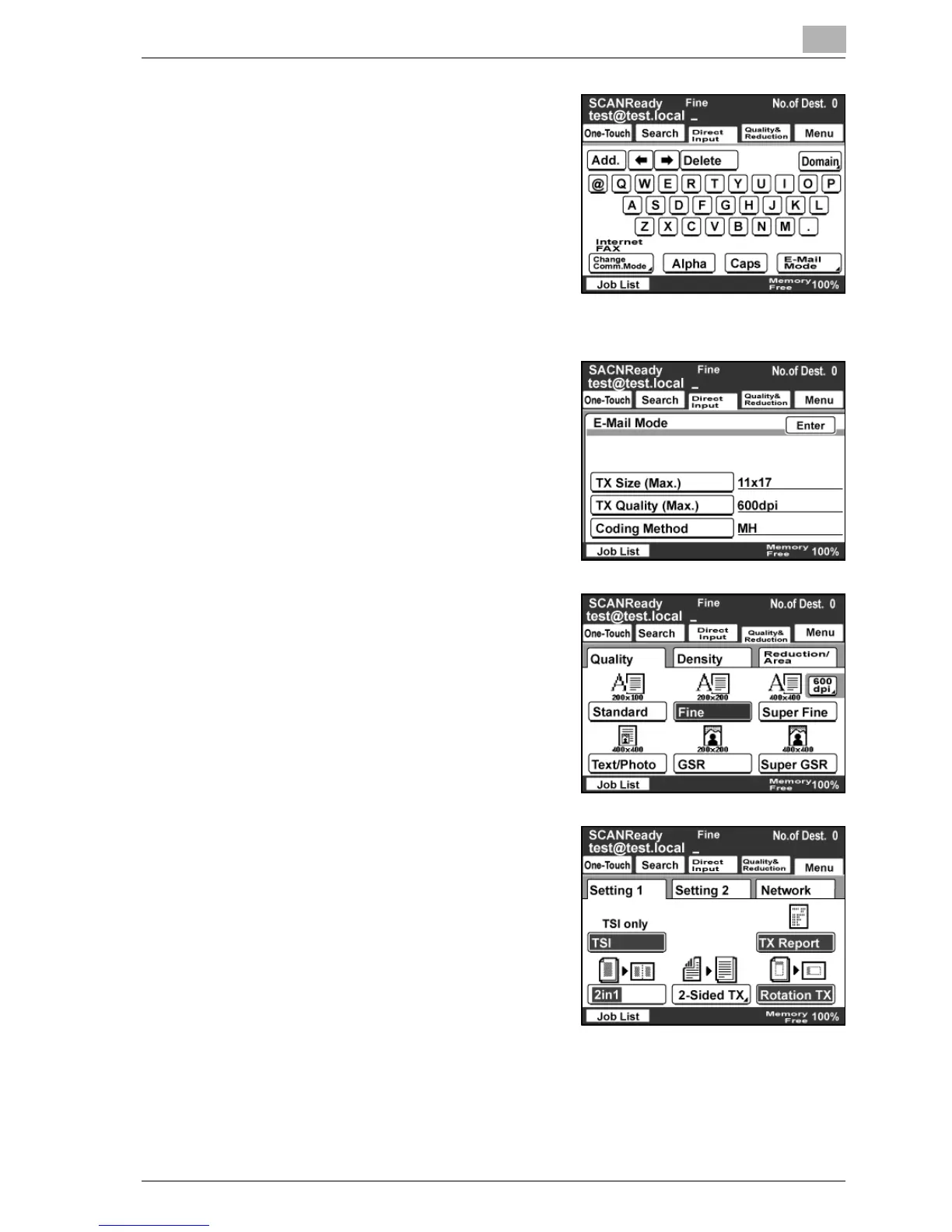
6 Type in the destination address.
– To change an entered address,
press the [C] (clear) key, and then
enter a new address.
– If parts of frequently used
addresses are registered, they
can be quickly entered by
touching [Domain]. For details,
refer to "Registering a domain
name" on page 3-52.
7 To select the maximum transmission
size and the encoding method, touch
[E-Mail Mode].
– For details, refer to "Priority
Compress Level (E-Mail Mode)"
on page 3-30.
– After specifying the desired
settings, touch [Enter].
8 Specify the Quality & Reduction
settings for the original document to
be sent.
– For details, refer to "Specifying
the scanning quality and zoom
ratio" on page 7-12.
9 Specify the necessary Menu
settings.
– If the optional fax kit has been
installed, specify the FAX Menu
settings.
– For details, refer to "Specifying
additional functions" on
page 7-16.
10 Press the [Start] key.



 To Next Page