Features
2
VarioLink 2221/2821/3621 2-7
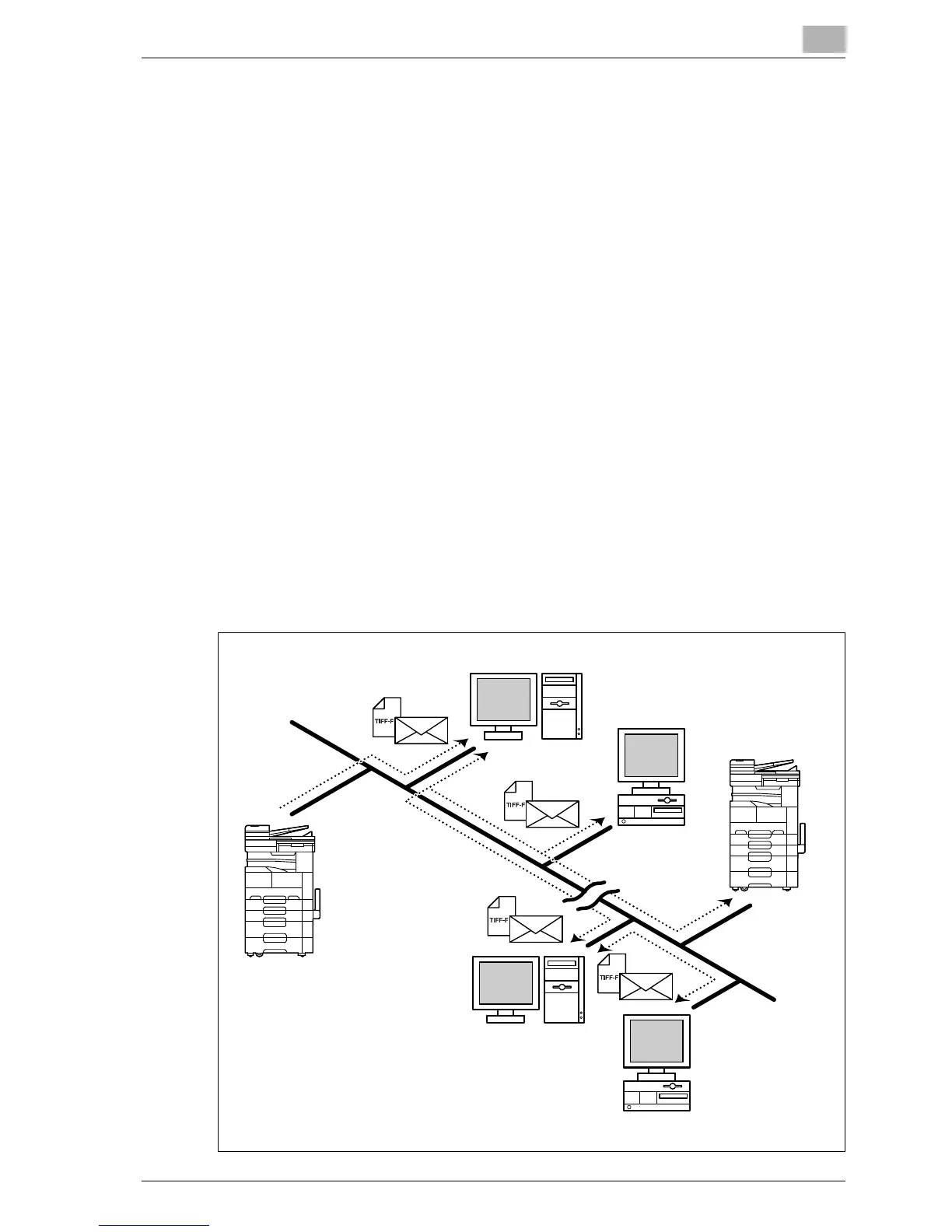
2.5 Internet faxing
The Internet fax operation attaches the image data of an original document
to an e-mail message and sends it over the Internet or an intranet to an
Internet fax terminal.
You can send data simply by specifying an e-mail address at the same time
that a fax number is specified for a transmission using a general telephone
line.
By registering a destination with a one-touch dial button, the data can be
sent simply by touching a button in the One-Touch screen.
The original document is attached to an e-mail (MIME format) and sent as an
image file in the TIFF format.
- Internet faxing operates in an environment quite different from fax
transmissions over a telephone line, and faxes are not transmitted
directly to the destination. Therefore, there are certain limitations.
- When sending an Internet fax, the reception results at the destination can
be checked. In addition, the reception capabilities of the destination
machine can be detected and the transmission adapted accordingly (the
destination machine must support full mode).
- This machine must be connected to a LAN, and the network settings
must be specified. For details, refer to Chapter 2, "Setup" on page 3-3.
- For details, refer to Chapter 6, "Internet faxing" on page 7-3.
E-mail server
E-mail server
Client computer
Internet fax
terminal
Intranet
Internet
Client computer



 To Next Page